KB: 1079
Haltdos ADC/WAF configuration for SAP application
This document provides an understanding of a previously observed issue with an SAP application integrated with Haltdos WAF. The following document includes the root cause and resolution steps to handle this issue in the future.
Problem Statement
After routing traffic via Haltdos ADC/WAF, the end customer reported slowness with the following behavior:
- Slow loading of the page
- Slow loading of the dropdown menu
- Long response time in the Network tab for sub-requests
- Error window with message i.e.
HTTP 0
Root Cause
The following application configurations were not enabled in the Haltdos ADC/WAF:
- Websocket
- HTTP Compression
- HTTP Server Caching
- HTTP Response MIME was not configured for compression.
For HTTP/1.1, the web browser loads content for all sub-requests sequentially. If any request takes longer to complete, this may cause slow page loading compared to application traffic without Haltdos WAF.
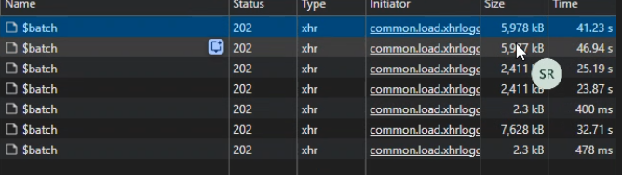
During loading of the web page, the web browser initate multiple sub-request that may not be visible in the browser screen. To view such request, we have to open network section under developer tools.
The application will require investigation to perform required fine-tuning that can be observed using Developer tools in the browser such as
- Check the Network Tab while enabling or disabling cache and persistent cache.
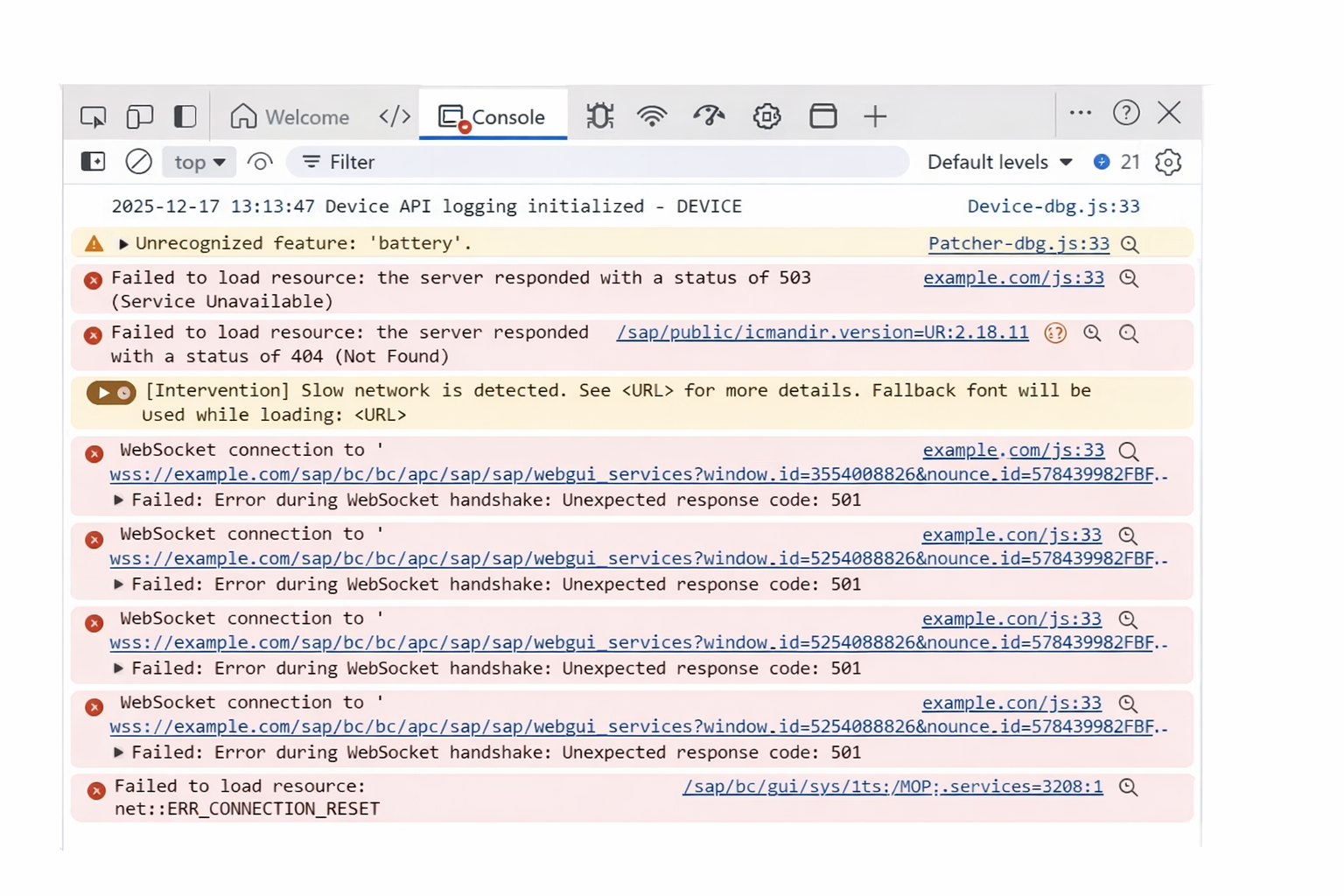
- Check Console Tab and check for error messages.
Note: For open Developer tools, press
F12orSettings > More Tools > Developer Tools. If failed, kindly look for the online document to open Developer tools for your browser.
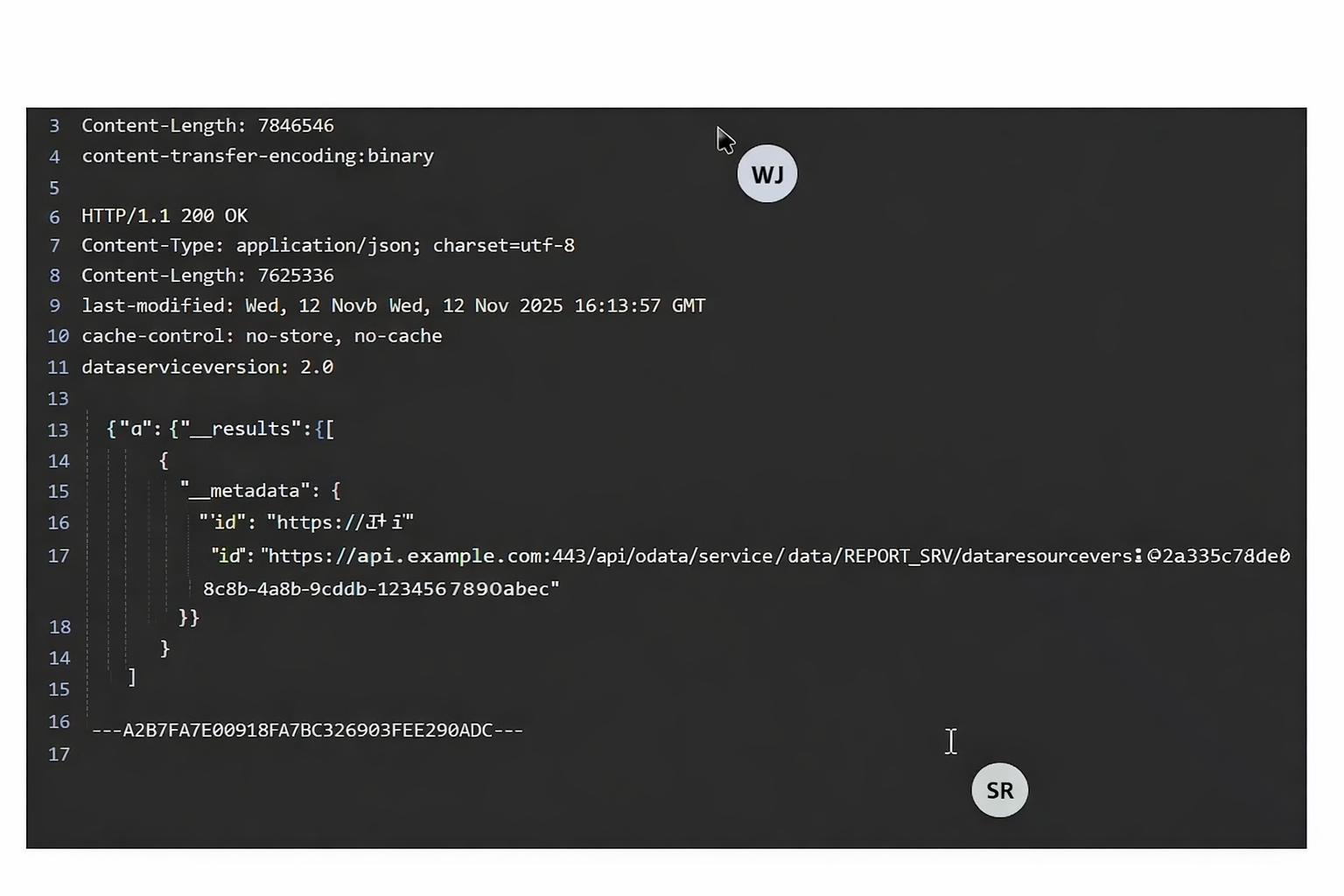
In our case, we have observed web socket request failure and compression bypass in the network tab and console tab.
Approach
To mitigate the issue, we will require replication steps to examine the issue as follows
-
Observe request originated during the issue was replicated under network section. We should clear previous request logs and monitor current request logs.
-
Under network section, determine below request
- Failed request
- Request that taken longer response time
- Status column that contains value between 400 and 599.
-
Under console section, check for error logs reported in the browser. This information will be used for issue reported while loading of the web page.
Resolution
In our case, we have performed below action
-
Enable Compression ( Listener > Load Balancing > Compression)
-
Enable Caching (Listener > Load Balancing > Caching)
-
Enable Websocket under Operational settings (Listener > Setting > Operational)
-
Enable TCP Multiplexing under Operational settings (Listener > Setting > Operational)
-
Change the upstream keep-alive timeout configuration if the application request has longer response time.
Parameter Parameter Value Upstream Keep-Alive Timeout 3600 Seconds -
Click Save Changes.
-
-
Configure custom security profile with below configuration (Listener > Security Profile)
-
Click on Add Profile
Profile Parameter Parameter Value Profile Name User Friendly Name URI ^/sap/bc/apc Reference DEFAULT -
Go to custom security profile, change Application Type to WEBSOCKET. Click Save Changes.
-
Click Save Changes.
-
After these changes, wait for at least 10 seconds to make configuration effective.
Note: Do not enable browser cache expiry. This may cause unexpected behavior or result in the browser caching content locally. This setting should be enabled for static websites instead of dynamic websites.
Tips
- Enable compression during the initial configuration of every application.
- Enable WAF caching to cache static content for each application.
Summary
The slowness experienced in the SAP application after integrating with Haltdos ADC/WAF was caused by missing protocol and performance-related configurations such as WebSocket support, compression, caching, and TCP optimization. By enabling the required ADC/WAF features, tuning keep-alive settings, and configuring a dedicated WebSocket security profile, the application performance was restored to expected levels. The applied changes were validated by the end customer and successfully resolved the reported issues.