Restore Setting
Restore Setting allows users to restore previously backed up data to the instance. Users can specify the type of data to restore and the date range from which the backup should be recovered.
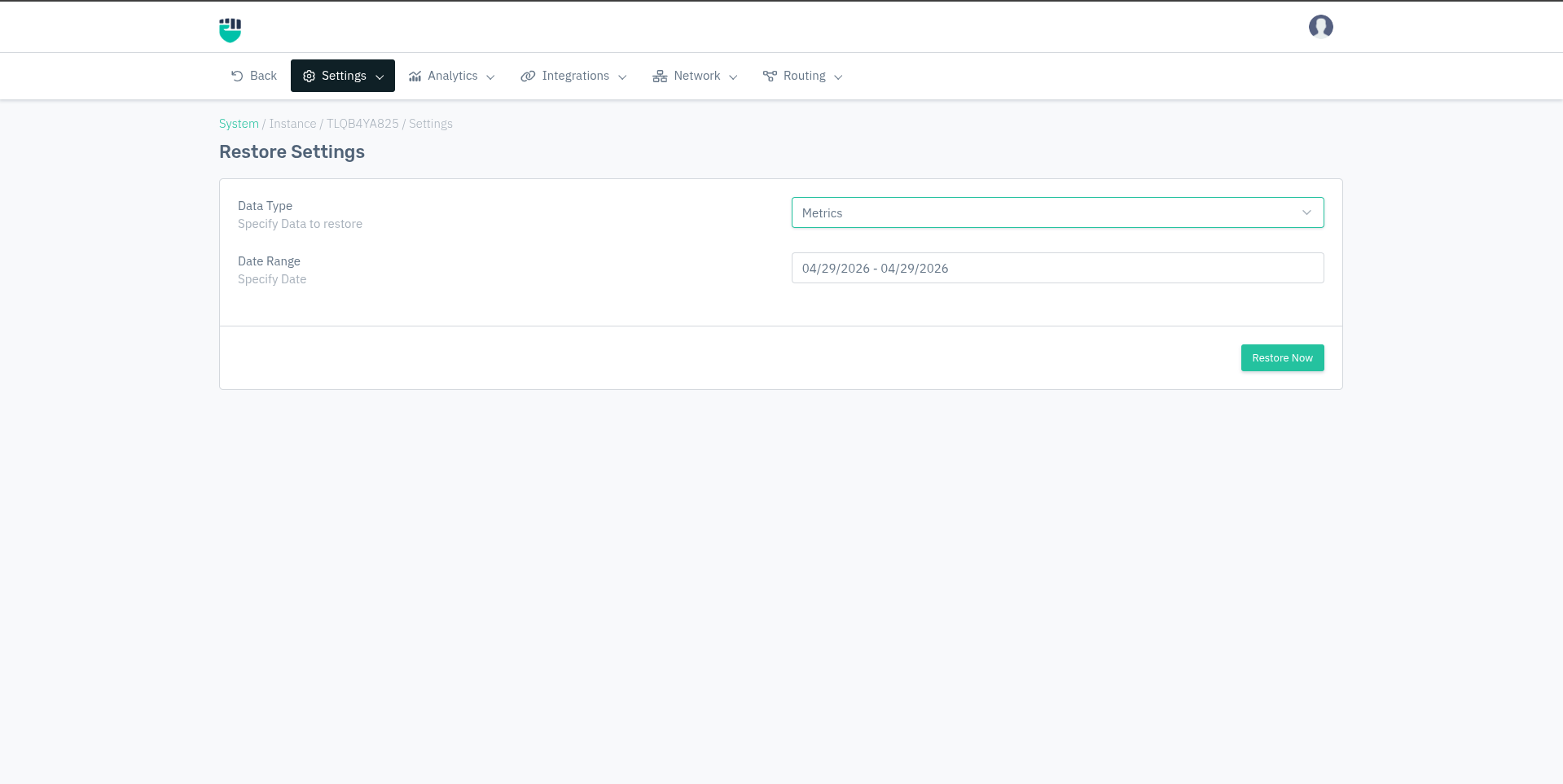
Restore is only possible if backups have been previously configured and data has been successfully transferred to FTP/SFTP or S3 storage. See Backup Setting for configuring backups.
How to Use:
- Go to System > Instance > (Select Instance) > Setting > Restore Setting
- Select the Data Type to restore
- Specify the Date Range of the backup to restore from
- Click Restore Now
Restoring data will overwrite the existing data of the selected type on the instance for the specified date range. This action cannot be undone. Ensure you are restoring the correct backup before proceeding.
Description
Data Type
Specifies the category of data to be restored from the backup.
Accepted values : Metrics / Logs / Configuration
Default         : Metrics
| Option | What gets restored |
|---|---|
| Metrics | Instance performance and health metrics (CPU, RAM, bandwidth usage over time) |
| Logs | Traffic and security event logs |
| Configuration | Instance and App configuration settings |
Restore one data type at a time. If you need to restore multiple data types, repeat the process for each type separately.
Date Range
The date range of the backup from which data will be restored. Only backups available within the configured backup storage (FTP/S3) for the selected range will be restored.
Accepted values : Date range in MM/DD/YYYY - MM/DD/YYYY format
Default         : Current date (both start and end)
Example: 04/01/2026 - 04/29/2026 — restores backup data from April 1 to April 29, 2026.
The available date range depends on the Log Retention Period configured under Backup Setting and what has been successfully transferred to remote storage. If no backup exists for the selected range, the restore will have no effect.