Password Policy
Password policy for securing user access on Haltdos solutions
Haltdos platform allows administrators to configure password policy as per organization's compliances. To avoid weak passwords, administrators can configure fine grained user password policy to ensure secure access to Haltdos appliances. Password policy also supports password rotation, no repeat passwords, etc. to assist administrators enforce compliance.
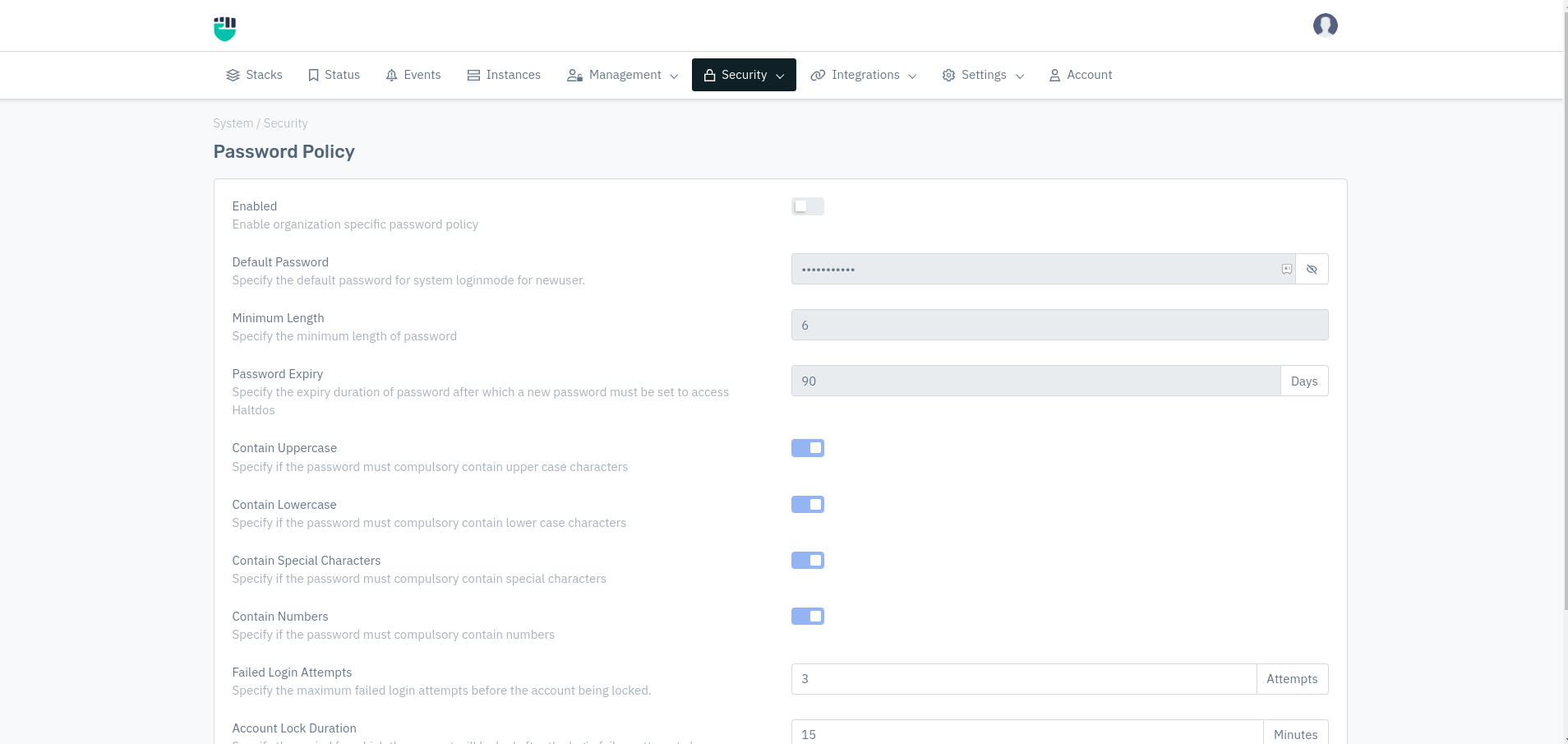
How to Use:
- Go to System > Security > Password Policy.
- Configure your settings
- Click Save Changes
Description
Enabled
Enable organization specific password policy
    Accepted values: Enable / Disable

    Default: Disable
Minimum Length
Specify the minimum length of password.
    Accepted values: Integer

    Default: 6
Password Expiry
Specify the expiry duration of password after which a new password must be set to access HaltDos
    Accepted values: Integer

    Default: 90
Contain Uppercase
Specify if the password must compulsory contain upper case characters
    Accepted values: Enable / Disable

    Default: Enable
Contain LowerCase
Specify if the password must compulsory contain lower case characters
    Accepted values: Enable / Disable

    Default: Enable
Contain Special Characters
Specify if the password must compulsory contain special characters
    Accepted values: Enable / Disable

    Default: Enable
Contain Numbers
Specify if the password must compulsory contain numbers
    Accepted values: Enable / Disable

    Default: Enable
Failed Login Attempts
Specify the maximum failed login attempts before the account being locked.
    Accepted values: Integers

    Default: 3
Account Lock Duration
Specify the period for which the account will locked after the login failure attempts have triggered.
    Accepted values: Integers

    Default: 15