SNMP Settings
Configure SNMP-based discovery for a network.
The SNMP Settings page configures Simple Network Management Protocol (SNMP) discovery for the selected network. When enabled, IPAM uses SNMP to query network devices and enrich discovery results with detailed device information such as device type, vendor, and interface data.
How to Use:
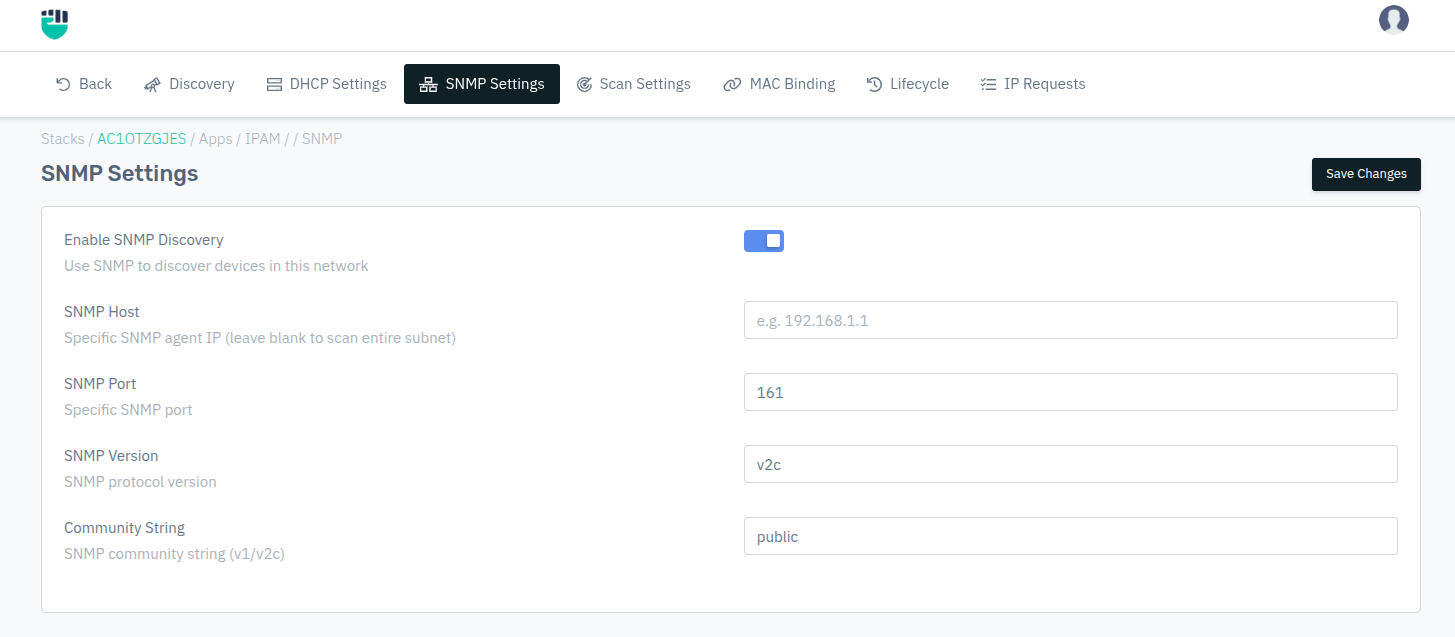
- Go to Stack > IPAM > Networks > select a network > SNMP Settings.
- Toggle Enable SNMP Discovery.
- Enter the SNMP host, port, version, and credentials.
- Click Save Changes.
Description:
Enable SNMP Discovery
Enables SNMP-based discovery for devices within this network.
Accepted values: Enabled / Disabled

Default: Disabled
SNMP Host
The IP address of a specific SNMP agent to query. Leave blank to perform SNMP discovery across the entire subnet.
Accepted values: IPv4 address

Example: 192.168.1.1
SNMP Port
The UDP port on which the SNMP agent listens.
Accepted values: Integer

Default: 161
SNMP Version
The SNMP protocol version to use for device communication.
Accepted values: v1 / v2c / v3

Default: v1
SNMP v1 / v2c Fields
Community String
The SNMP community string used for authentication with v1 and v2c devices.
Accepted values: String

Default: public
SNMP v3 Fields
The following fields are only required when SNMP Version is set to v3.
Username
The SNMPv3 security username for authentication.
Accepted values: String

Default: Blank
Auth Protocol
The authentication hash algorithm for SNMPv3.
Accepted values: SHA / MD5

Default: SHA
Auth Password
The password used for SNMPv3 authentication.
Accepted values: String

Default: Blank
Privacy Protocol
The encryption algorithm used for SNMPv3 data privacy.
Accepted values: AES / DES

Default: AES
Note: DES is cryptographically weak and considered deprecated. Use AES unless the target device does not support it.
Privacy Password
The password used for SNMPv3 data encryption.
Accepted values: String

Default: Blank