MAC Binding
Configure static DHCP IP-to-MAC address bindings for a network.
The MAC Binding page manages static DHCP reservations for the selected network. A static binding guarantees that a specific device (identified by its MAC address) always receives the same IP address from the DHCP server, regardless of when it connects.
This is useful for infrastructure devices such as servers, printers, cameras, and access points that require a predictable, fixed IP while still being managed through DHCP.
How to Use:
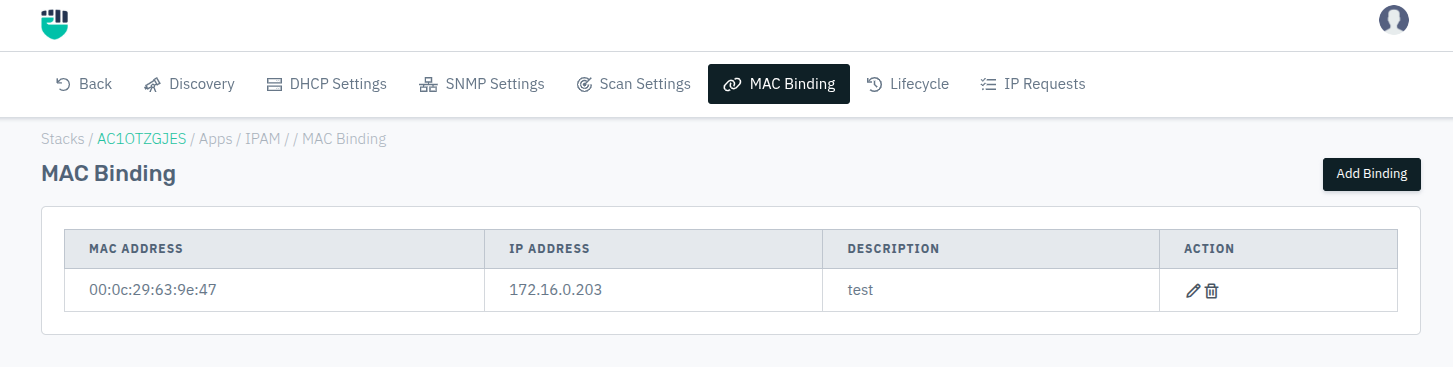
- Go to Stack > IPAM > Networks > select a network > MAC Binding.
- Click Add Binding to open the binding form.
- Enter the MAC address, desired IP address, and an optional description.
- Click Save to create the binding.
Description:
MAC Address
The hardware address of the device for which the static binding is being created.
Accepted values: MAC address in AA:BB:CC:DD:EE:FF format

Example: AA:BB:CC:DD:EE:FF
IP Address
The fixed IP address that will always be assigned to the device with the specified MAC address.
Accepted values: IPv4 / IPv6 address within the network range

Default: Blank
Description
An optional label to identify the device or owner of this binding.
Accepted values: String

Default: Blank