Scan Settings
Configure the scan schedule for a network.
The Scan Settings page allows administrators to schedule automated network scans for a specific network. Scans discover active devices and update the address inventory without requiring manual intervention.
How to Use:
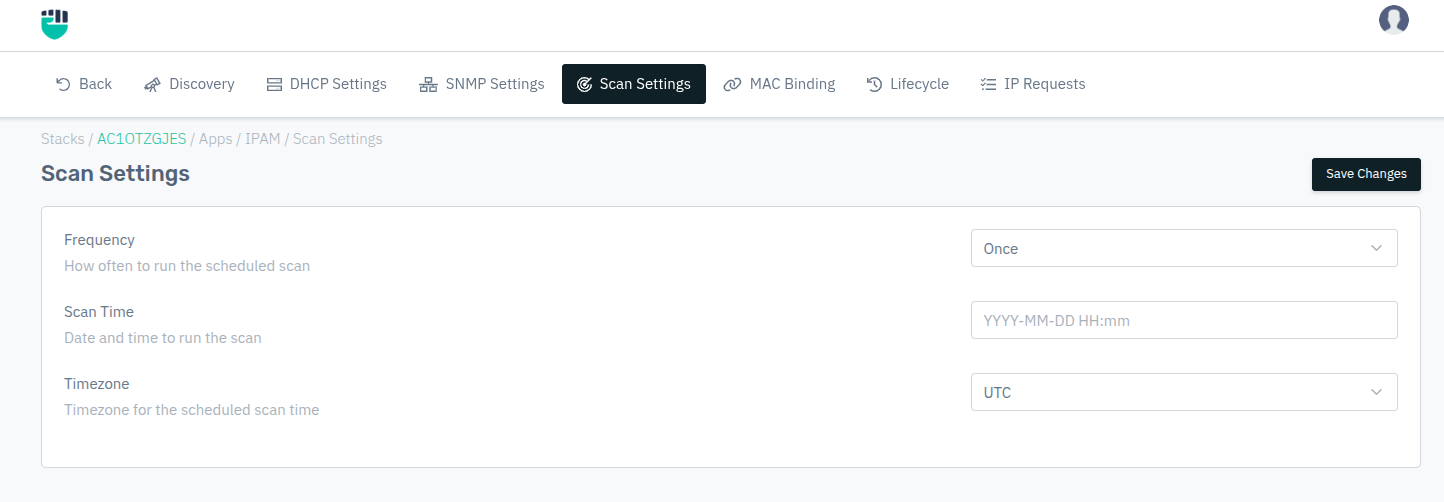
- Go to Stack > IPAM > Networks > select a network > Scan Settings.
- Select the scan frequency and specify the scan time.
- Choose the appropriate timezone.
- Click Save Changes.
Description:
Frequency
Defines how often the scheduled scan should repeat.
Accepted values: Once / Daily / Weekly / Monthly

Default: Once
- Once — Runs a single scan at the specified time and does not repeat.
- Daily — Repeats every day at the configured scan time.
- Weekly — Repeats once a week at the configured scan time.
- Monthly — Repeats once a month at the configured scan time.
Scan Time
The date and time at which the scan should run. For recurring scans (Daily/Weekly/Monthly), this sets the time of day.
Accepted values: YYYY-MM-DD HH:mm

Example: 2025-06-01 02:30
Timezone
The timezone in which the scan time is interpreted. Select the timezone that matches the network's geographic location to ensure the scan runs at the intended local time.
Accepted values: Select from available timezones

Default: System default