Networks
Manage IP networks in Haltdos IPAM.
The Networks page lists all configured IP networks within the IPAM application. Each network entry shows the network name, IP address with CIDR notation, description, DHCP status, and VLAN ID.
How to Use:
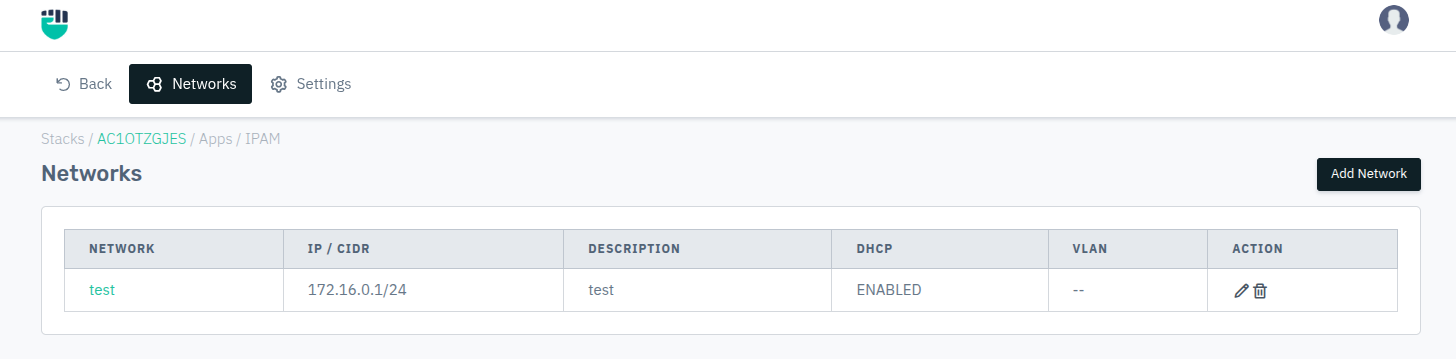
- Go to Stack > IPAM > Networks.
- Click Add Network to define a new network.
- Fill in the required fields and click Save.
- Click on a configured network name to manage its sub-settings.
Description:
Network Name
A unique label to identify this network within IPAM.
Accepted values: String

Default: Blank
IP / CIDR
The base IP address of the network along with its subnet prefix length in CIDR notation (e.g., 192.168.1.0/24).
Accepted values: IPv4 / IPv6 address with CIDR mask

Default: Blank
Description
An optional note describing the purpose or scope of the network.
Accepted values: String

Default: Blank
DHCP
Indicates whether a DHCP server is deployed for this network.
Accepted values: Enabled / Disabled

Default: Disabled
VLAN
The VLAN ID associated with the network for traffic segmentation.
Accepted values: Integer

Default: 0
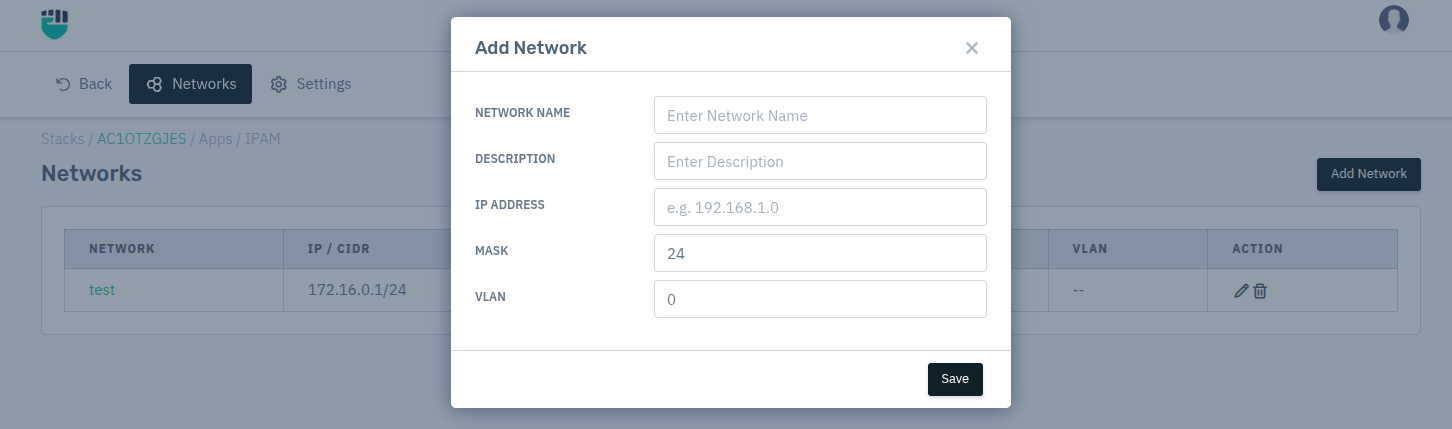
Add Network:
Use this form to define a new network. Fill in the fields described above and click Save to create the network entry.