IPAM Manager
Track and manage IP address allocation requests submitted via IPAM Manager.
The IP Requests page provides a centralized view of all IP address requests submitted to the IPAM system. Requests are raised programmatically by the IPAM Manager (ipammgr) agent and reviewed by administrators who can approve or reject them from this page.
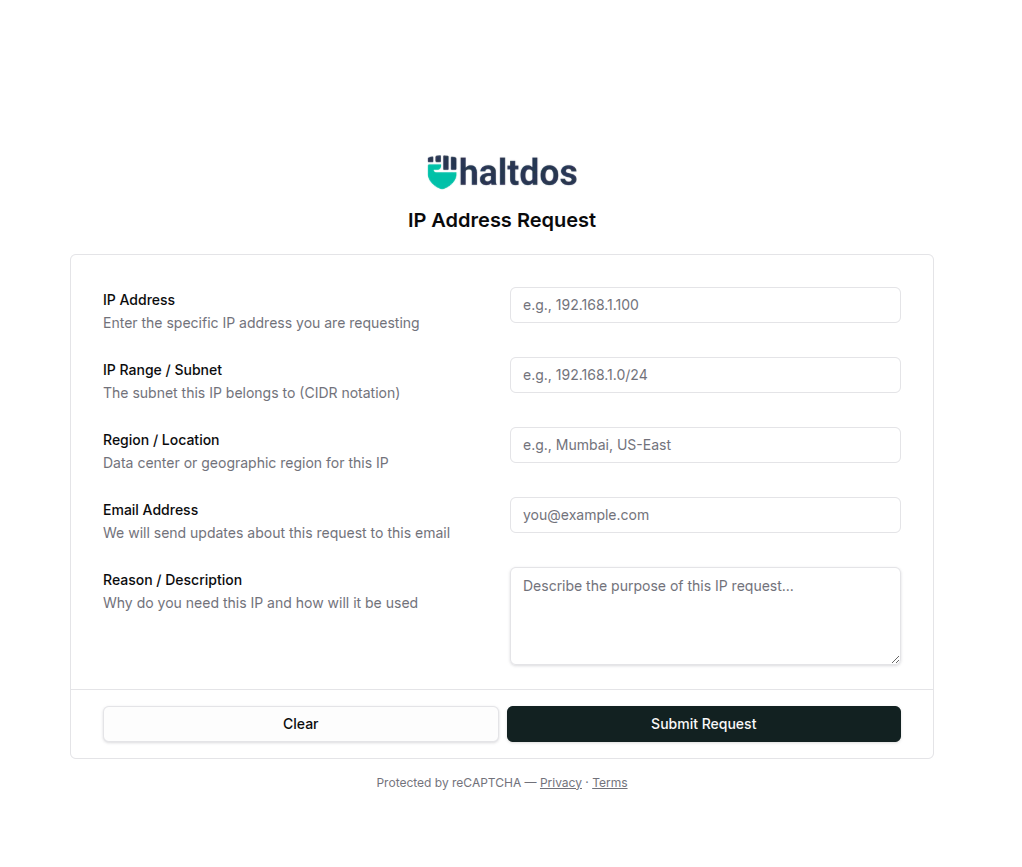
How IP Requests Work
IP requests follow a three-stage lifecycle:
ipammgr → POST /v1/agent/ipam/request → PENDING → APPROVED / REJECTED
-
ipammgr submits a request — The IPAM Manager agent sends a
POSTrequest to the platform's internal endpoint. The platform automatically resolves which configured network the IP belongs to (by matching the IP against all defined network subnets) and creates a new request record with status PENDING. -
Support team is notified — An email notification is sent to the configured support address when a new IP request is received.
-
Administrator reviews — The admin opens Stack > IPAM > IP Requests, reviews the pending request, and either approves or rejects it.
-
Requester is notified — If an email address was included in the request, the requester receives an email notification with the approval or rejection status.
-
IP marked as used (on approval) — When a request is approved, the IP address is automatically updated to USED status in the network's discovery table and assigned to the requester.
Submitting a Request via IPAM Manager
IPAM Manager sends IP requests to the following internal endpoint:
POST /v1/agent/ipam/request
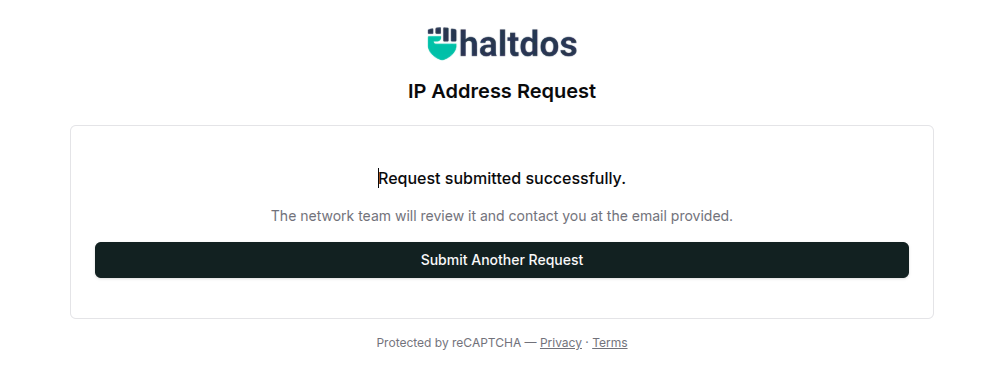
Parameters
| Parameter | Required | Description |
|---|---|---|
ip | Yes | The IP address being requested |
email | No | Email address of the requester (used for status notifications) |
ipRange | No | IP range associated with the request |
region | No | Region or location context for the request |
description | No | Purpose or reason for the IP allocation |
Behaviour
- The platform resolves the
networkIdautomatically by matching the requested IP against all configured network subnets — no explicit network ID is required from ipammgr. - If a PENDING request already exists for the same IP in the same network, a duplicate request is not created.
requestedByis recorded asanonymousfor requests submitted via ipammgr.assignTypeis set toUSERby default for agent-submitted requests.
Example Request
POST /v1/agent/ipam/request
Content-Type: application/x-www-form-urlencoded
ip=192.168.1.50&email=user@example.com&description=Required+for+new+server+deployment®ion=datacenter-1
Response
{
  "valid": true,
  "message": "IP request created"
}
If a pending request already exists for this IP:
{
  "valid": false,
  "message": "Failed to create request"
}
Managing Requests in the Console
How to Use:
- Go to Stack > IPAM > IP Requests.
- Review the list of pending requests.
- Click the approve (✓) or reject (✗) action icon for each request.
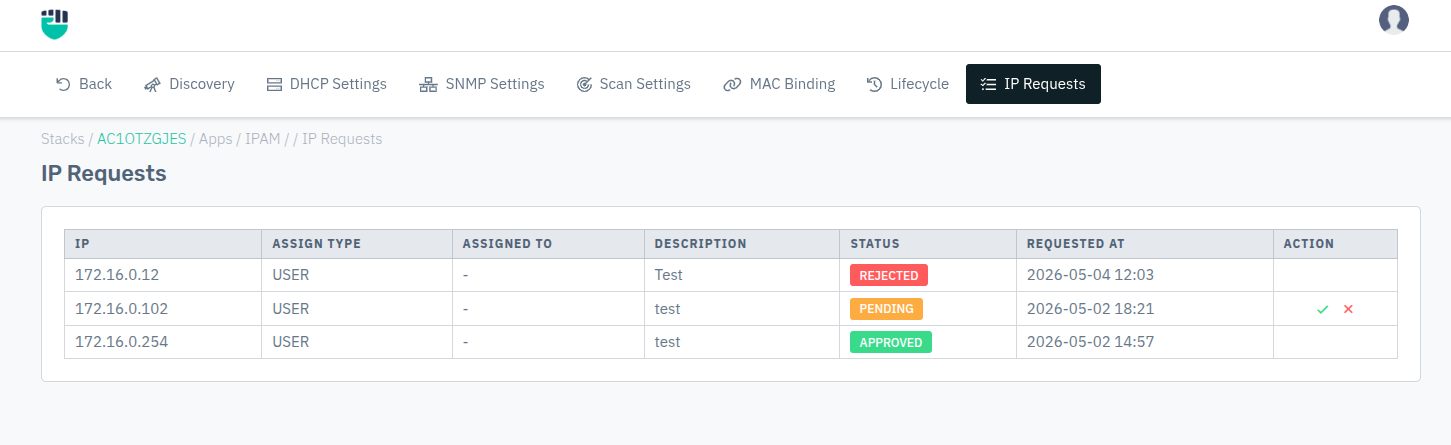
Request Table Fields
| Field | Description |
|---|---|
| IP | The IP address that was requested |
| Assign Type | How the IP is being assigned (e.g., USER) |
| Assigned To | The user or entity the IP is assigned to |
| Description | Reason or purpose provided by the requester |
| Status | Current state of the request — PENDING / APPROVED / REJECTED |
| Requested At | Timestamp when the request was submitted |
Status Badges
| Status | Meaning |
|---|---|
| PENDING | Request submitted, awaiting admin review |
| APPROVED | Request approved; IP is marked as USED in the network |
| REJECTED | Request rejected; IP is not allocated |
Actions
Actions are only available for PENDING requests:
- Approve — Marks the request as APPROVED, sets the IP status to USED in the discovery table, and assigns the IP to the requester. A notification email is sent to the requester if an email was provided.
- Reject — Marks the request as REJECTED. A notification email is sent to the requester if an email was provided.