GRAPHQL Policy
Configure GraphQL Security Policy to control and protect GraphQL-based APIs.
Overview
A GraphQL policy defines constraints and validation rules for GraphQL requests to protect backend services from malicious queries, excessive nesting, and resource exhaustion attacks. These controls help ensure that GraphQL requests conform to defined structural and depth limits before being processed by the application.
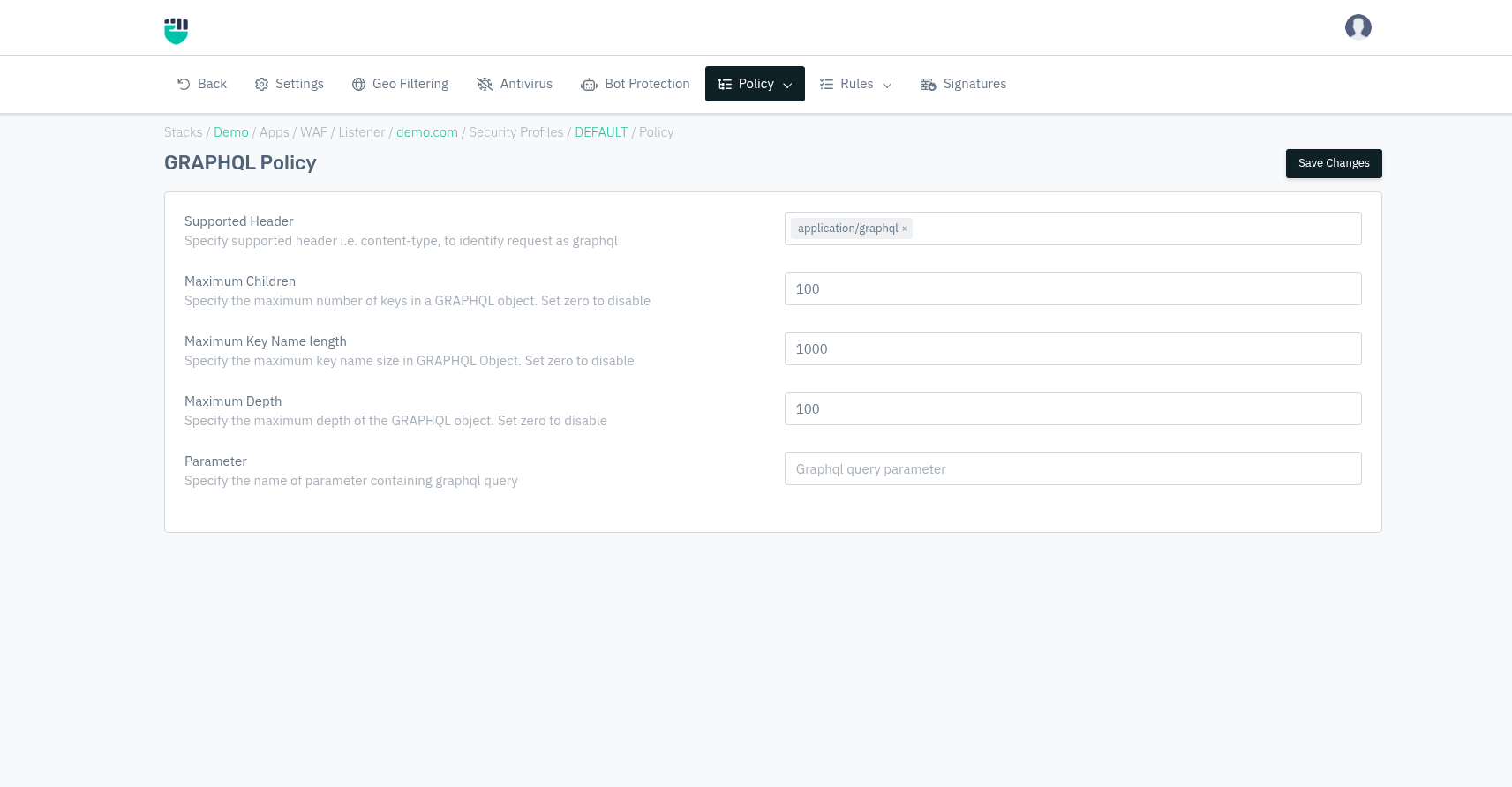
How to Use:
- Go to WAF > Listener > Profiles > Policy > GraphQL Policy.
- Configure your settings.
- Click Save Changes.
Description
Supported Header
This field specifies the supported HTTP header used to identify a request as a GraphQL request. Requests missing the configured header value will not be treated as GraphQL traffic.
Accepted values: HTTP Header value

Default: application/graphql
Maximum Children
This field specifies the maximum number of keys (child fields) allowed within a single GraphQL object. Limiting the number of children helps prevent overly complex queries that may cause excessive backend processing.
Set the value to 0 to disable this validation.
Accepted values: Integer

Default: 100
Maximum Key Name Length
This field specifies the maximum allowed length of a key name in a GraphQL object. Requests containing key names exceeding the configured length will be blocked.
Set the value to 0 to disable this validation.
Accepted values: Integer

Default: 1000
Maximum Depth
This field specifies the maximum depth allowed for a GraphQL query. Limiting query depth helps protect the backend from deeply nested queries that may lead to denial-of-service conditions.
Set the value to 0 to disable depth validation.
Accepted values: Integer

Default: 100
Parameter
This field specifies the name of the HTTP parameter that contains the GraphQL query. The WAF uses this parameter to extract and validate the GraphQL payload.
Accepted values: String

Default: Graphql query parameter