Networks
Overview
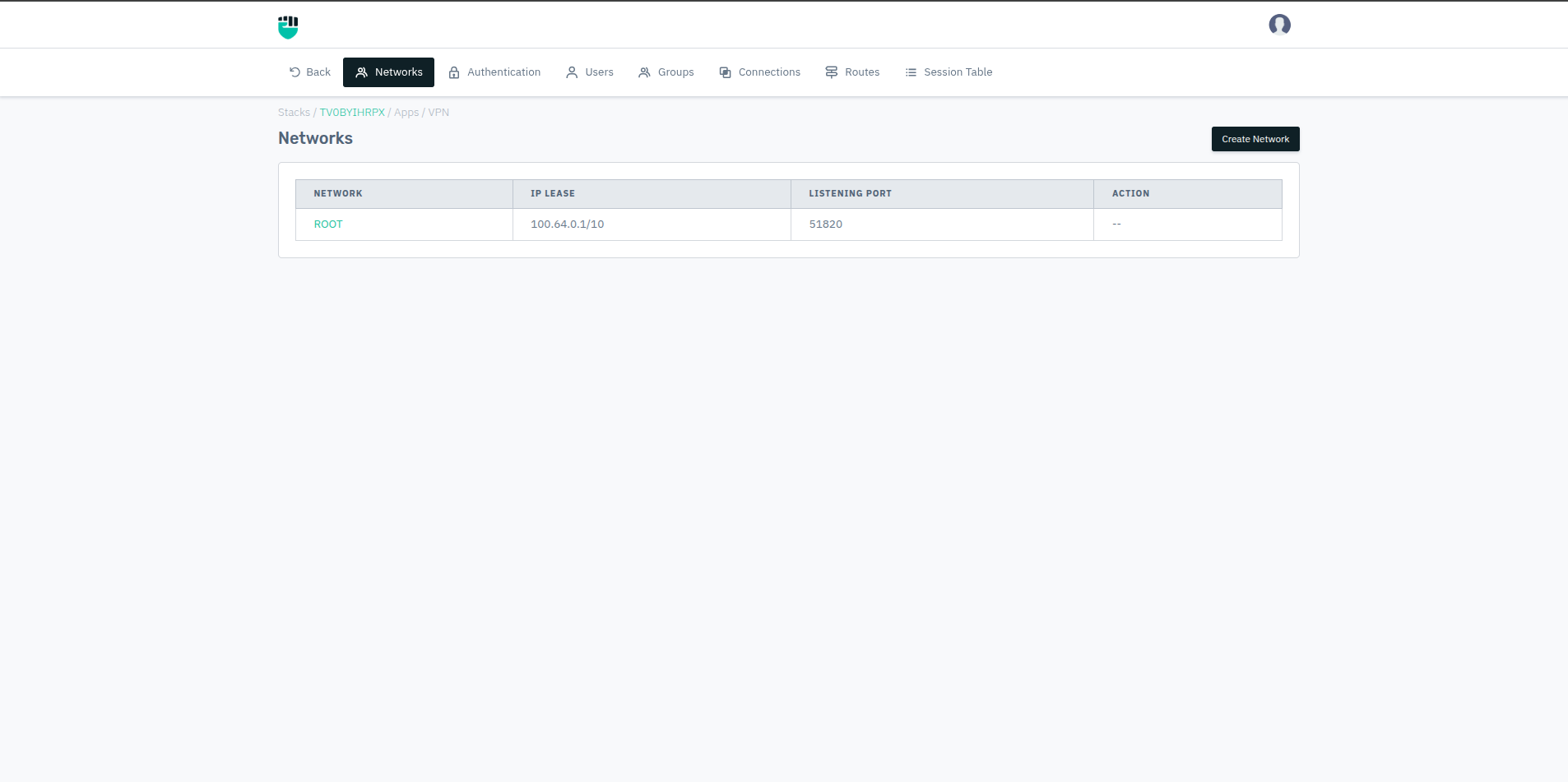
The Networks page allows administrators to create and manage isolated VPN network segments. Each network has its own IP lease pool and WireGuard listening port, enabling traffic and access segregation between different user groups.
The default network, ROOT, is created automatically and cannot be deleted. Additional networks can be created for specific use cases — for example, a separate network for Developers, Support, or Tester.
Each network contains its own:
- Operational Settings — UDP port, DNS, IP lease, split tunneling, MTU
- Peers — connected devices and their device security metadata
- Security Policy — OS and antivirus compliance checks
How to Use
- Go to Stack > VPN > Networks
- Click Create Network to add a new network
- Fill in the required fields and click Save
- Click on an existing network name to access its settings, peers, and security policy
Create Network
Fields
Network Name
A unique name to identify this network segment.
Accepted values: String (alphanumeric)
Default: Blank
IPv4 Lease
The IPv4 address pool from which connected clients will be assigned VPN IPs. Specify in CIDR notation.
Accepted values: CIDR notation (e.g., 100.64.0.0/10)
Default: 192.168.0.0/24
::: Note: Ensure the lease range does not overlap with your internal network subnets (10.x.x.x, 172.x.x.x) to avoid routing conflicts.:::
Listening Port
The UDP port on which WireGuard listens for incoming VPN connections on this network. Each network must use a unique port.
Accepted values: Integer (1–65535)
Default: Blank
::: Note: Ensure the configured port is open in your firewall for UDP traffic from external clients.:::
Tags
Optional labels for organizing and filtering networks.
Accepted values: String
Default: Blank
Networks Table
The networks list shows all configured networks with the following columns:
| Column | Description |
|---|---|
| Network | Name of the network (clickable — opens network settings) |
| IP Lease | The IPv4 CIDR range assigned to clients on this network |
| Listening Port | WireGuard UDP port for this network |
| Action | Delete option (ROOT network cannot be deleted) |
Inside a Network
Clicking on a network name opens three sub-sections:
Operational Settings
Core network parameters including UDP port, DNS servers, IPv4/IPv6 lease, split tunneling configuration, and MTU. See Operational Settings for full details.
Peers
Lists all currently and previously connected devices on this network, showing:
- Peer name and assigned VPN IP
- Client version, OS name, OS version, kernel version
- Whether the OS is up to date and count of pending updates
- Architecture and hostname
- Antivirus name, enabled status, updated status, last scanned date Administrators can delete peers from this page, which forces the device to re-authenticate on next connection.
Security Policy
Defines device compliance requirements that must be met before a client is allowed to establish a tunnel on this network. See Security Policy for full details.