Link Bonds
Listing of ethernet cards (NIC) on the hardware / VM
This section allows you to configure Ethernet settings on available NIC cards on the physical or virtual instance. You can configure IP addresses, gateway, routes and routing policies per interface.
How to Use:
- Go to Stack > Infrastructure > Network > Link Bonds
- Configure your settings
- Click Save Changes
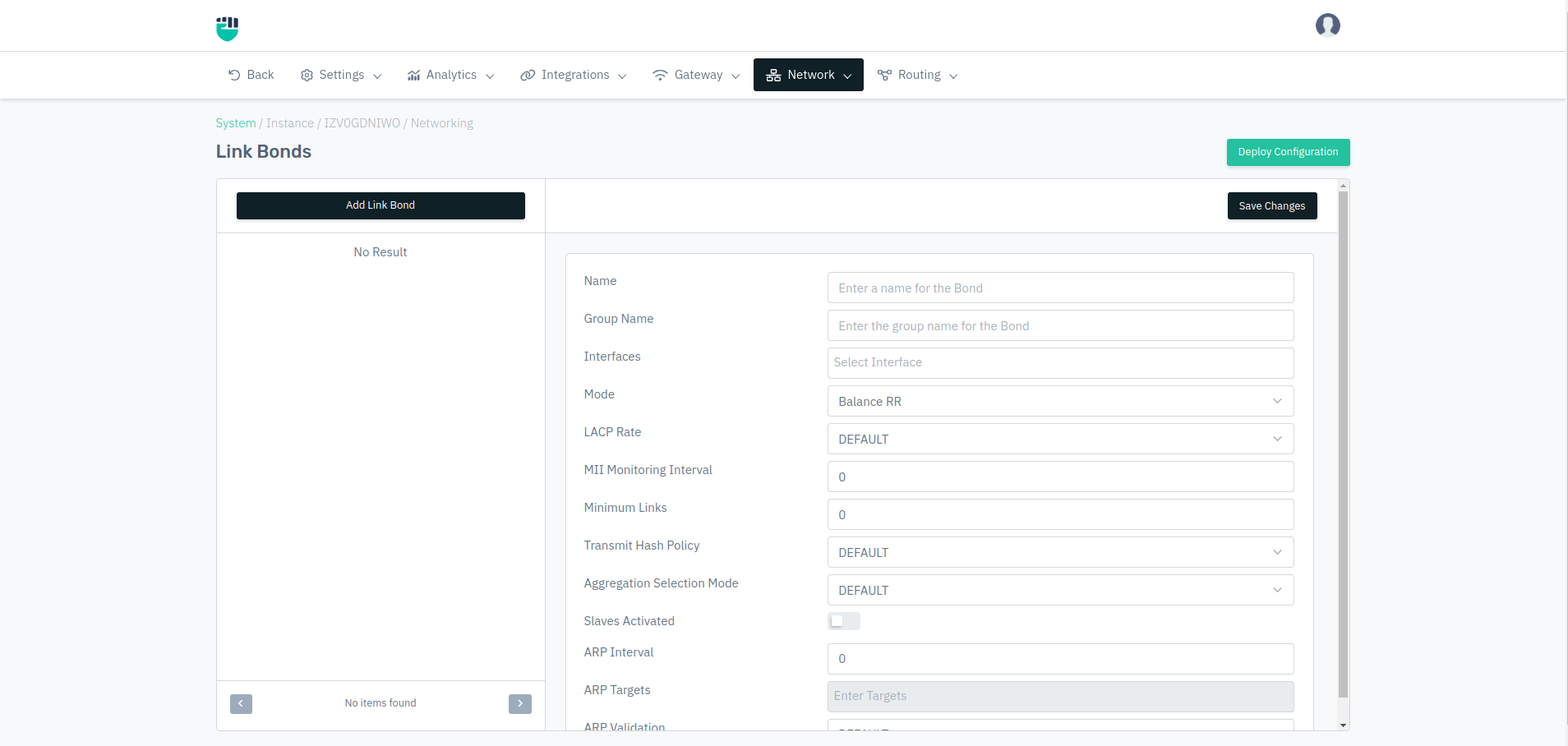
Description
Name
Enter the name
    Accepted values: String

    Default: Blank
Group Name
Enter Group Name
    Accepted values: String

    Default: Blank
Interfaces
Select Interfaces
    Accepted values: String

    Default: Blank
Mode
Select the mode
    Accepted values: Dropdown

    Default: Balance RR
LACP Rate
Select the LACP Rate
    Accepted values: Default / Fast / Slow

    Default: Default
MII Monitoring Interval
Select the MII Monitoring Interval
    Accepted values: Integer

    Default: 0
Minimum Links
Enter the minimum link
    Accepted values: Integer

    Default: 0
Transmit Hash Policy
Select the Transmit Hash Policy
    Accepted values: Default / Layer2 / Layer34 / Layer23 / ENCAP23 / ENCAP34

    Default: Default
Aggregation Selection Mode
Select the Aggregation Selection Mode
    Accepted values: Default / Stable / Bandwidth / Count

    Default: Default
Slaves Activated
Select whether to Enable / Disable
    Accepted values: Enable / Disable

    Default: Disable
ARP Interval
Enter the ARP Interval
    Accepted values: Integer

    Default: 0
ARP Targets
Enter the ARP Targets
    Accepted values: Enter Targets

    Default: Blank
ARP Validation
Select the ARP Validation
    Accepted values: Default / None / Active / Backup / All

    Default: Default
ARP Verification
Select the ARP Verification
    Accepted values: Default

    Default: Default
Up Delay
Enter Up Delay
    Accepted values: String

    Default: Blank
Down Delay
Enter the Down Delay
    Accepted values: Integer

    Default: 0
MAC Policy
Select the MAC Policy
    Accepted values: Default / None / Active / Follow

    Default: Default
Gratuitous ARP Count
Enter the Gratuitous ARP Count
    Accepted values: Integer

    Default: 1
Packet Per Slave
Enter Packet Per Slave
    Accepted values: String

    Default: 1
Primary Selection Policy
Select the Primary Selection Policy
    Accepted values: Default / Always / Better / Failure

    Default: Blank
Reset IGMP
Enter the Reset IGMP
    Accepted values: Integer

    Default: 0
Learn Interval
Enter the Learn Interval
    Accepted values: String

    Default: 1
Default Primary
Select the Default Primary
    Accepted values: Select from dropdown

    Default: Blank