AD
Overview
Active Directory (AD) is Microsoft's directory service that stores information about network resources and enables administrators to manage permissions and access to those resources. Haltdos Platform supports AD integration to allow administrators to authenticate into the Haltdos Management Console using their existing Active Directory credentials, eliminating the need to maintain separate local passwords.
When AD authentication is enabled, login requests are validated against the configured Active Directory server. The user must already exist as an Administrator under System > Management > Administrators with Login Mode set to LDAP, and the credentials must be valid in Active Directory.
Before enabling AD, ensure the Haltdos appliance has network reachability to the Active Directory server on the required port (default: 389 for LDAP, 636 for LDAPS).
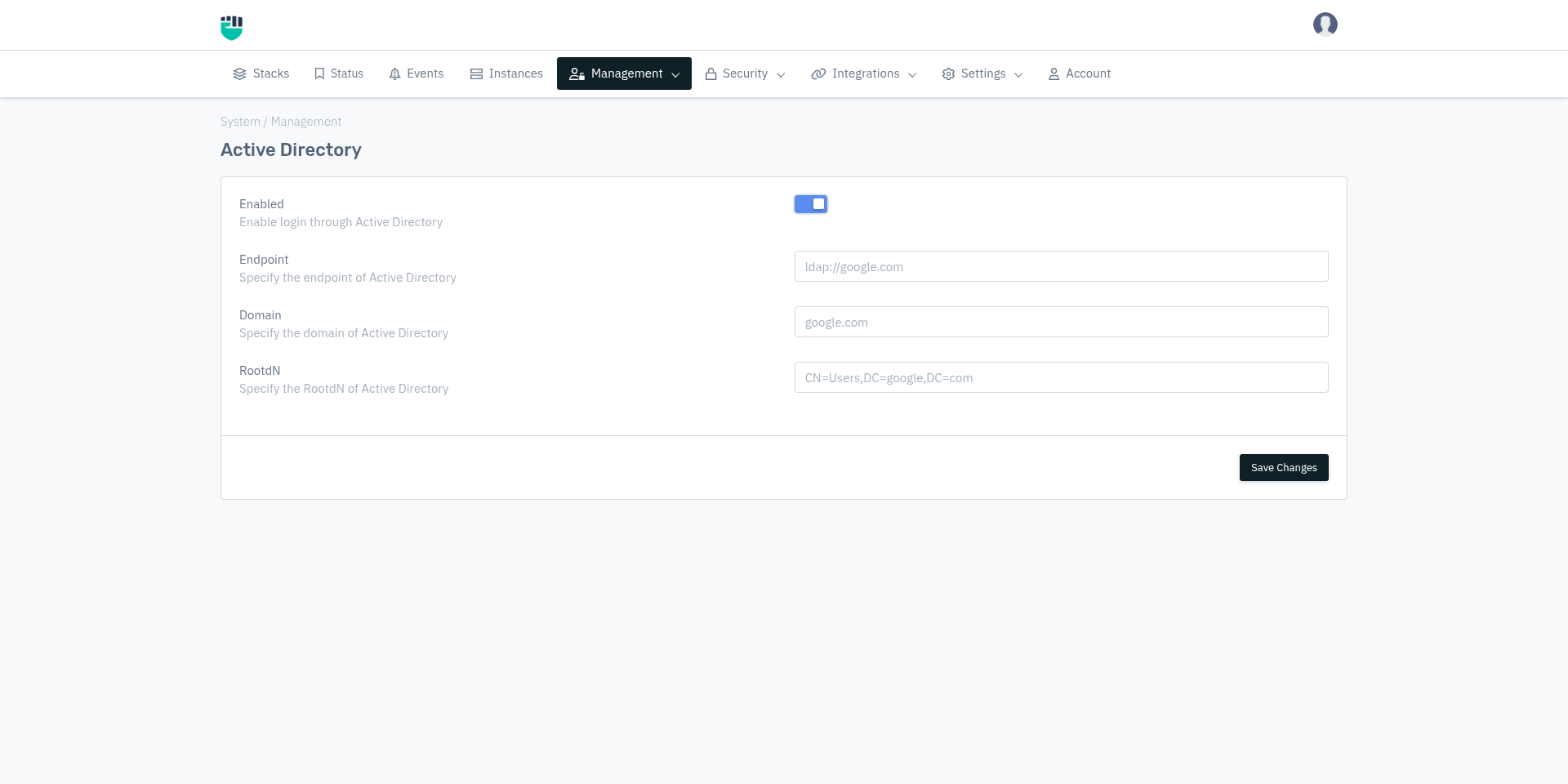
How to Use
- Go to System > Management > AD
- Configure the settings as described below
- Click Save Changes
Field Reference
Enabled
Enables or disables Active Directory authentication for the Haltdos Management Console.
Accepted values : Enable / Disable
Default         : Disable
When disabled, login attempts by users with Login Mode set to LDAP will fail. All other login modes (SYSTEM, RADIUS, TACACS) are unaffected.
Endpoint
The LDAP URL of the Active Directory server that the Haltdos appliance will connect to for authentication.
Accepted values : String — LDAP URL in the format ldap://<hostname-or-IP>
                  or ldaps://<hostname-or-IP> for LDAP over SSL
Default         : Blank
Examples:
ldap://192.168.1.10ldap://ad.company.comldaps://ad.company.com(for secure LDAP)
Domain
The Active Directory domain name that the authenticating users belong to.
Accepted values : String — fully qualified domain name (FQDN)
Default         : Blank
Examples:
company.comcorp.internal
RootDN
The Distinguished Name (DN) of the root container in Active Directory where user accounts are stored. The Haltdos appliance uses this as the search base when looking up users during authentication.
Accepted values : String — LDAP Distinguished Name (DN) format
Default         : Blank
Format: CN=<container>,DC=<domain-component>,DC=<domain-component>
Examples:
CN=Users,DC=company,DC=comCN=Users,DC=corp,DC=internalOU=HaltdosAdmins,DC=company,DC=com(if users are in a specific Organizational Unit)
The RootDN should point to the container or Organizational Unit (OU) where the administrator accounts are located in Active Directory. Using a more specific OU reduces lookup time and scope.
How AD Authentication Works
- Administrator enters username and password on the Haltdos login page
- Haltdos checks if the user exists under System > Management > Administrators with Login Mode = LDAP
- Haltdos constructs the user's full DN using the configured Domain and RootDN
- An LDAP bind request is sent to the configured Endpoint using the entered credentials
- If the bind succeeds, the user is granted access based on their role in Haltdos
- If the bind fails, login is denied
AD integration handles authentication only — verifying the user's identity. Authorization (what the user can do) is controlled by the role assigned to the user within Haltdos under System > Management > Administrators.