Listener Settings
Make SLB listener on specific ports to accept connections and distribute across one or multiple origin servers.
Overview
Users are allowed to configure many operational settings for the Listeners.
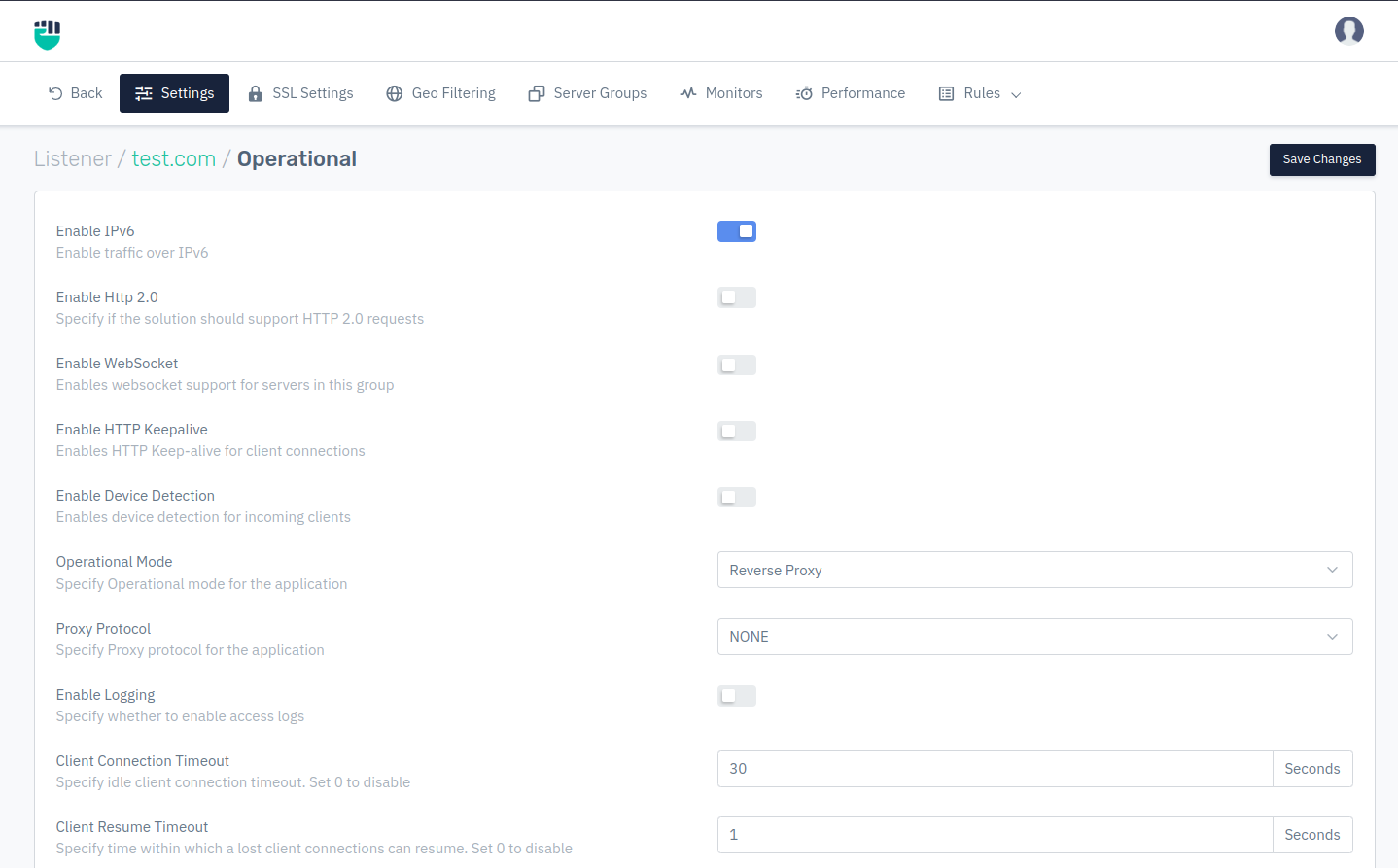
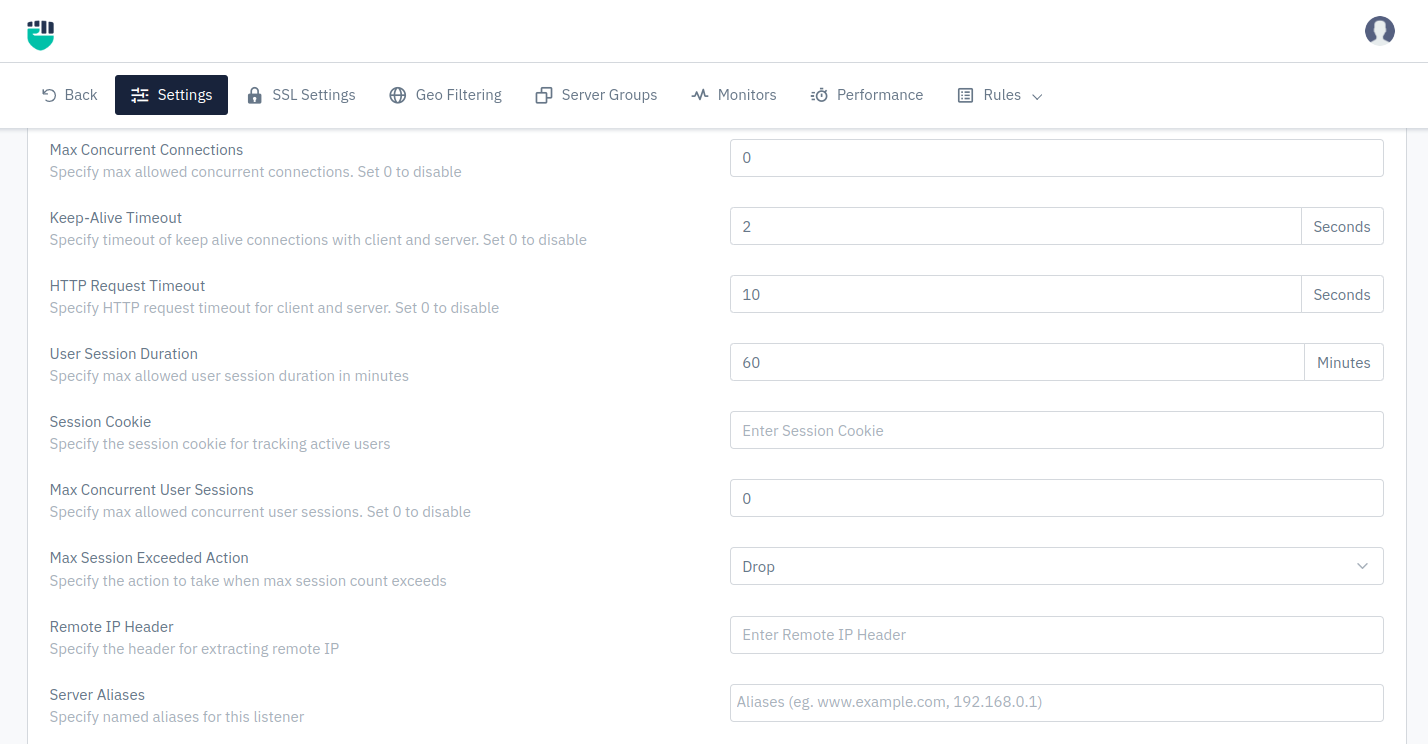
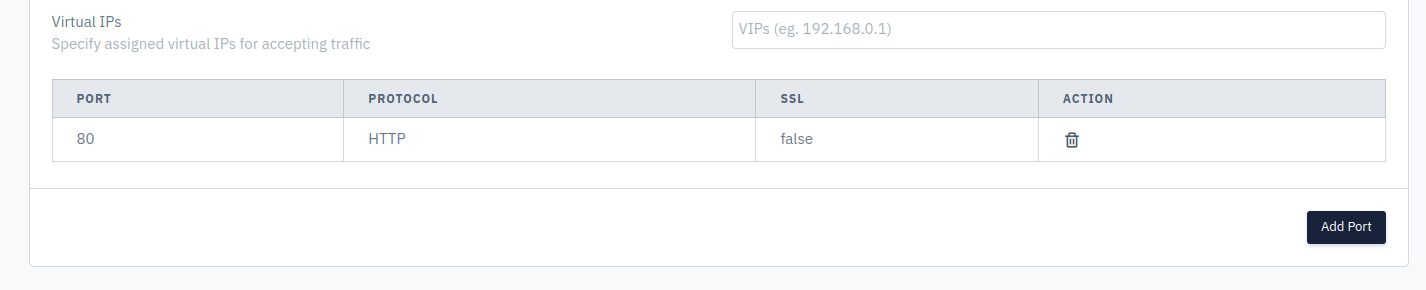
Configure the following parameters to set up the desired settings:
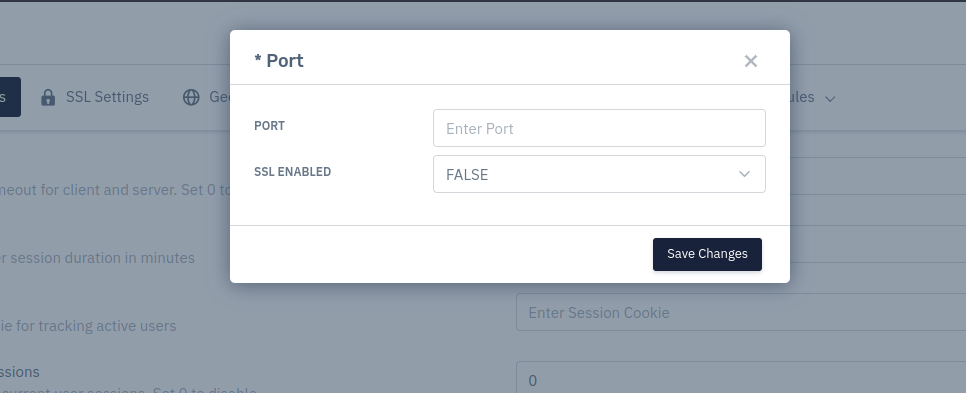
How to Use:
Description:
Enable IPv6
This option allows user to enable traffic over IPv6 and applicable in the case of all service types. Internet Protocol version 6 is the most recent version of the Internet Protocol that allows communication to take place over the network.
    Accepted values: Enable / Disable

    Default: Enable
Enable Http 2.0
This option allows user to specify whether the solution supports HTTP 2.0 request. HTTP/2 aims to be a faster, more efficient protocol than HTTP. Read more about the differences between the two and how you can get started with HTTP2 today.
    Accepted values: Enable / Disable

    Default: Enable
Enable WebSocket
This option allows user to enable web-socket support for servers or server group. It is a communication, an upgraded, quick, and seamless protocol to use when one needs to establish constant client-server communication over a single TCP connection.
    Accepted values: Enable / Disable

    Default: Enable
Enable HTTP Keepalive
This option allows users to enable HTTP Keep-alive for client connections. HTTPKeep-Alive can speed up website as the browser only needs to go through the process of connecting to the server once through a single TCP connection.
    Accepted values: Enable / Disable

    Default: Enable
Enable Device Detection
This option allows users to detect devices and its OS on the client-side in the case of service type HTTP. If the user enabled this option, they can enable the device-based upstream rules.
    Accepted values: Enable / Disable

    Default: Enable
Operational Mode
Users are allowed to specify Operational mode for the application. There are two modes can be selected:
    Accepted values: Reverse Proxy / Transparent

    Default: Reverse Proxy
Proxy Protocol
Users are allowed to specify Proxy protocol for the application.
    Accepted values: None / Proxy Protocol V1 / Proxy Protocol V2

    Default: None
Enable Logging
This option allows user to enable access logs in the case of service type HTTP & TCP’s.
    Accepted values: Enable / Disable

    Default: Enable
Client connection Timeout
Connection timeout is a time period within which a connection between a client and a server must be established. This option is only applicable in the case of service type HTTP & TCP. This option allows users to set the connection timeout values from client-side.
    Accepted values: Integer

    Default: 30
Client Resume Timeout
This option is only applicable in the case of service type HTTP & TCP. This option allows users to specify the time within which a lost client connection can resume.
    Accepted values: Integer

    Default: 1
Max Concurrent Connections
This option is only applicable in the case of service type HTTP & TCP. This option allows users to specify max allowed concurrent connections. By default, Set 0 to disable.
    Accepted values: Integer

    Default: 0
Client Keep-Alive Timeout
This option is only applicable in the case of service type HTTP. This option allows users to specify a timeout of keep-alive connections with clients.
    Accepted values: Integer

    Default: 2
HTTP Request Timeout
This option is only applicable in the case of service type HTTP. This option allows users to specify client HTTP request timeout.
    Accepted values: Integer

    Default: 10
User Session Duration
Users can specify max allowed user session duration in minutes.
    Accepted values: Integer

    Default: 60
Session Cookie
This option is only applicable in the case of service type HTTP. This option allows users to specify the session cookie for tracking active users.
    Accepted values: String

    Default: Blank
Max Concurrent User Sessions
This option is only applicable in the case of service type HTTP. This option allows users to specify max allowed concurrent user sessions. Set 0 to disable.
    Accepted values: Integer

    Default: 0
Max Session Exceeded Action
Users can specify the action to take when max session count exceeds.
    Accepted values: Drop / Send Custom Response / Redirect

    Default: Drop
Remote IP Header
This option is only applicable in the case of service type HTTP. This option allows users to specify the header for extracting remote IP.
    Accepted values: String

    Default: Blank
Server Aliases
This option is only applicable in the case of service type HTTP. This option allows users to specify named aliases for this listener.
    Accepted values: String

    Default: Blank
Virtual IPs
This option is only applicable in the case of service type HTTP. This option allows users to specify assigned virtual IPs for accepting traffic.
    Accepted values: String

    Default: Blank
Add Port
Port
Add Port here.
    Accepted values: Integer

    Default: Blank
SSL Enabled
Select whether to enable or disable the SSL.
    Accepted values: True / False

    Default: False