Redirectional Rules
These rules allow you to configure redirection for your application pages
Overview
Redirection Rules is a feature of Haltdos WAF that allows application owners to redirect a request to another site or URL, temporarily or permanently on matching a particular URL pattern.
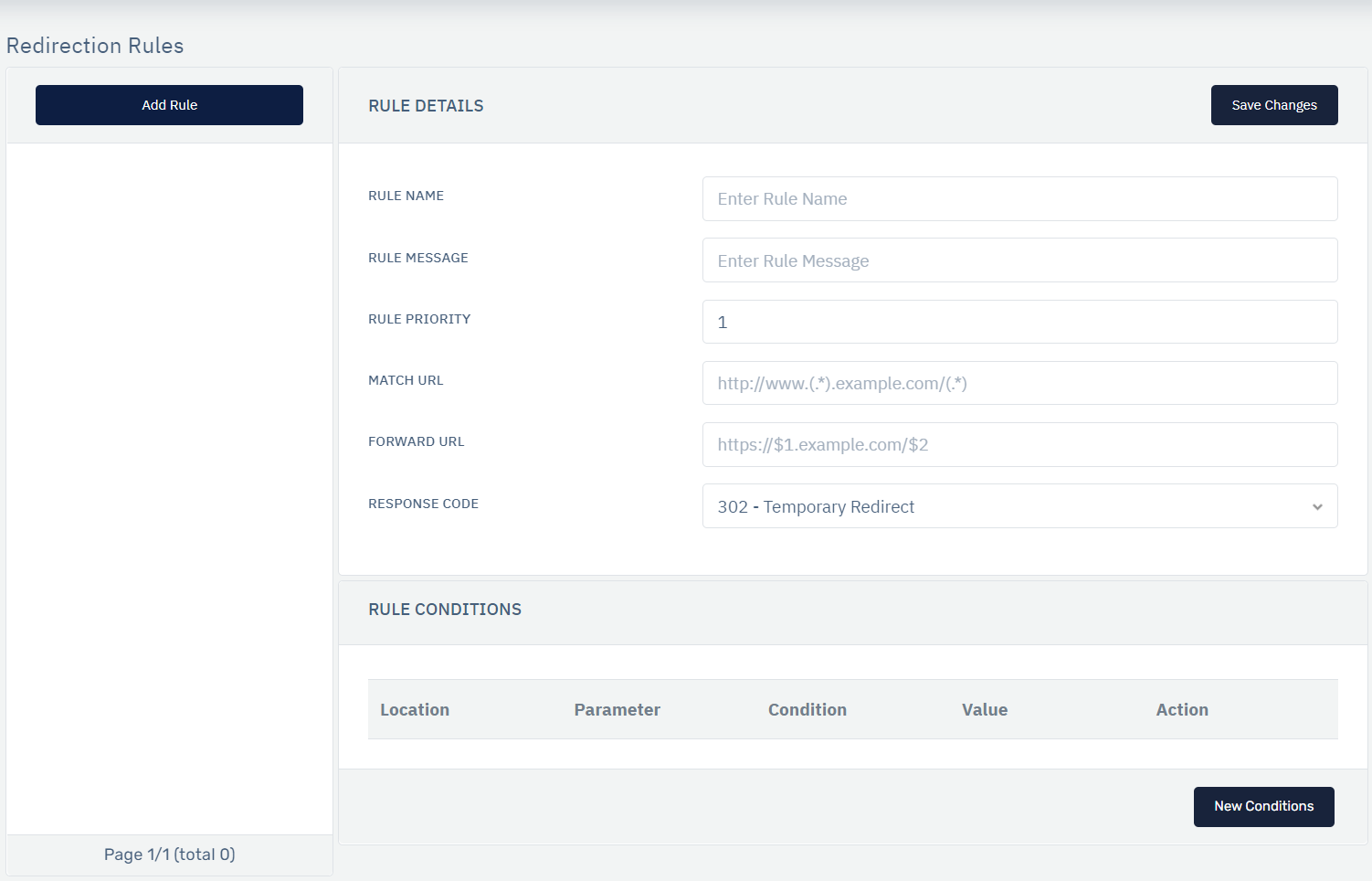
How to Use:
1.Go to WAF > Listeners > Rules > Redirection Rules.
2.Click on Add Rule and set relevant parameters described in the table below.
3.Click on Save Changes.
| Parameters | Accepted Values | Default |
|---|---|---|
| Rule Name | String | None |
| Message | Description for the rule in String format | None |
| Rule Priority | Integer | 1 |
| Match URL | Absolute URL path | None |
| Forward URL | Absolute URL path | None |
| Response Code | 301, 302 | 302 - Temporary Redirect |
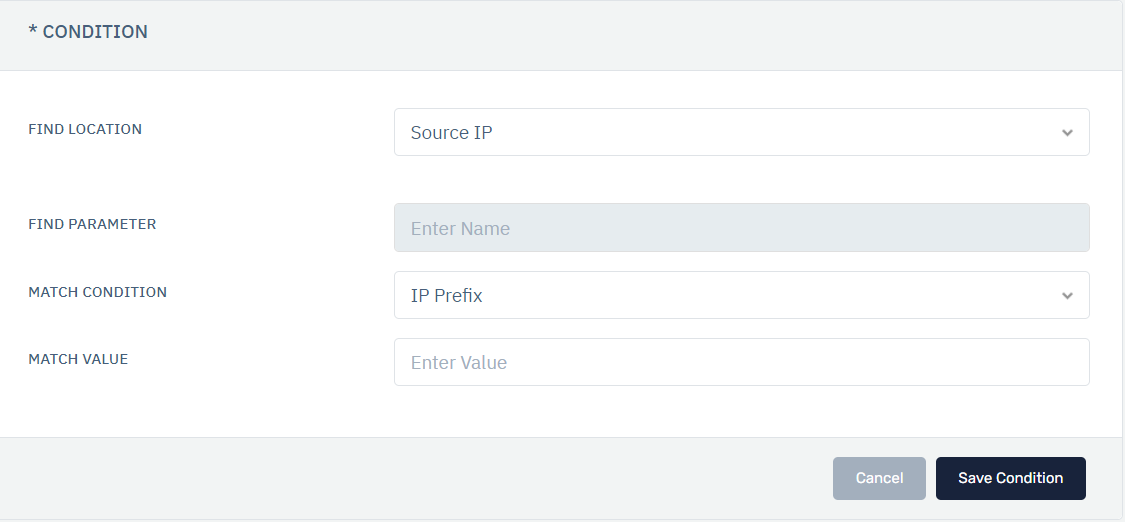
Description
1.Rule Name:
Specify a user-friendly name to identify the rule. The rule name takes alpha-numeric input.
2.Message:
The user can add a short description of the rule. The description would explain the purpose of the rule.
3.Rule Priority:
User can set the priority of the rule.
4.Match URL:
Specify the URL for which this rule will be applied. Any requests made on this URL trigger this rule and the request shall be redirected or forwarded according to the rule.
The match URL should follow the format: [http(s)://www.().haltdos.io/()]
5.Forward URL:
The user can specify the URL on which the request has to be redirected. All the requests that trigger this rule will be forwarded to this URL. The forward URL should follow the format: [http(s)://().haltdos-1.io/()]
6.Priority:
Specify the priority for the rule for execution when matched with the request.
7.Response Code:
In this option, the end-user can decide that the redirection should be permanent or temporary by selecting the option from the drop-down list. 301 - Permanent Redirect 302 - Temporary Redirect