SSL Settings
It provides functionality to support SSL offloading based on configurations.
Overview
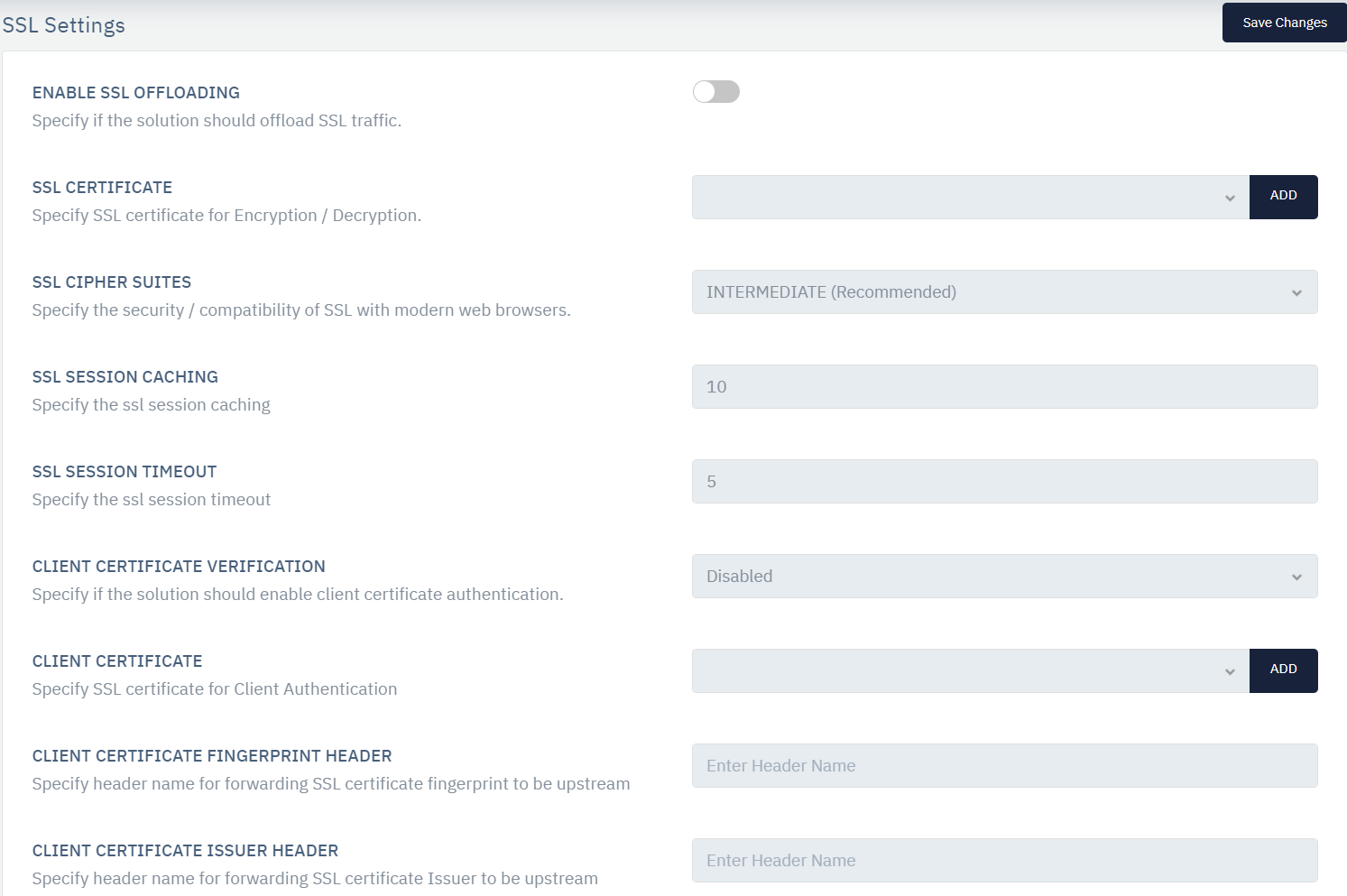
As many applications are running over HTTPS, for the WAF / ADC solution to inspect user payload, it is necessary to decrypt SSL/TLS traffic. The following settings allow users to configure SSL offloading based and optional re-encryption in Haltdos solution. The performance of SSL offloading will vary based on chosen model.
How to Use:
- Go To WAF > Listeners > SSL Settings
- Configure Your Settings
- Click Save Changes
Encrypt Traffic to Upstream
This specifies WAF should re-encrypt traffic before sending it to the back-end web application.
We can listen to non-HTTPS traffic and send it as HTTPS traffic to the back end server.
Enable SSL Offloading
This option specifies if the WAF should enable HTTPS traffic for the configured website.
SSL Certificate
This field allows us to Select or Upload an SSL Certificate for SSL Offloading in case of encrypted traffic. Users can select the SSL certificate from the drop-down or add a new certificate by clicking the ADD button which will redirect to the SSL Certificates page
SSL Ciphers
It is a set of algorithms or a set of instructions/steps that helps to establish a secure connection between two entities — usually the client (a user's browser) and the web-server they're connecting to (your website). Users can select respective ciphers from the drop-down.
SSL Ciphers Suites
In order to secure or make SSL compatible with specific web browsers. Users can select from the drop-down i.e. Modern(Very Secure), Intermediate (Recommended), Old(Backward Compatibility), Custom, etc.
SSL Session Caching
This optionm allows users to specify the number of SSL session cache for HTTPS requests on the listener.
SSL Session Timeout
This option allows users to specify the SSL session timeout in minutes for every HTTPS request on the listener.
Client Certificate Verification
This option specifies if the solution should enable client certificate authentication.
Client Certificate
Thids option specifies an SSL certificate for Client Authentication.
Client Certificate Fingerprint Header
This option specifies header name for forwarding SSL certificate fingerprint to be upstream
Client Certificate Issuer Header
This option specifies header name for forwarding SSL Certificate Issuer to be upstream
Client Certificate Subject Header
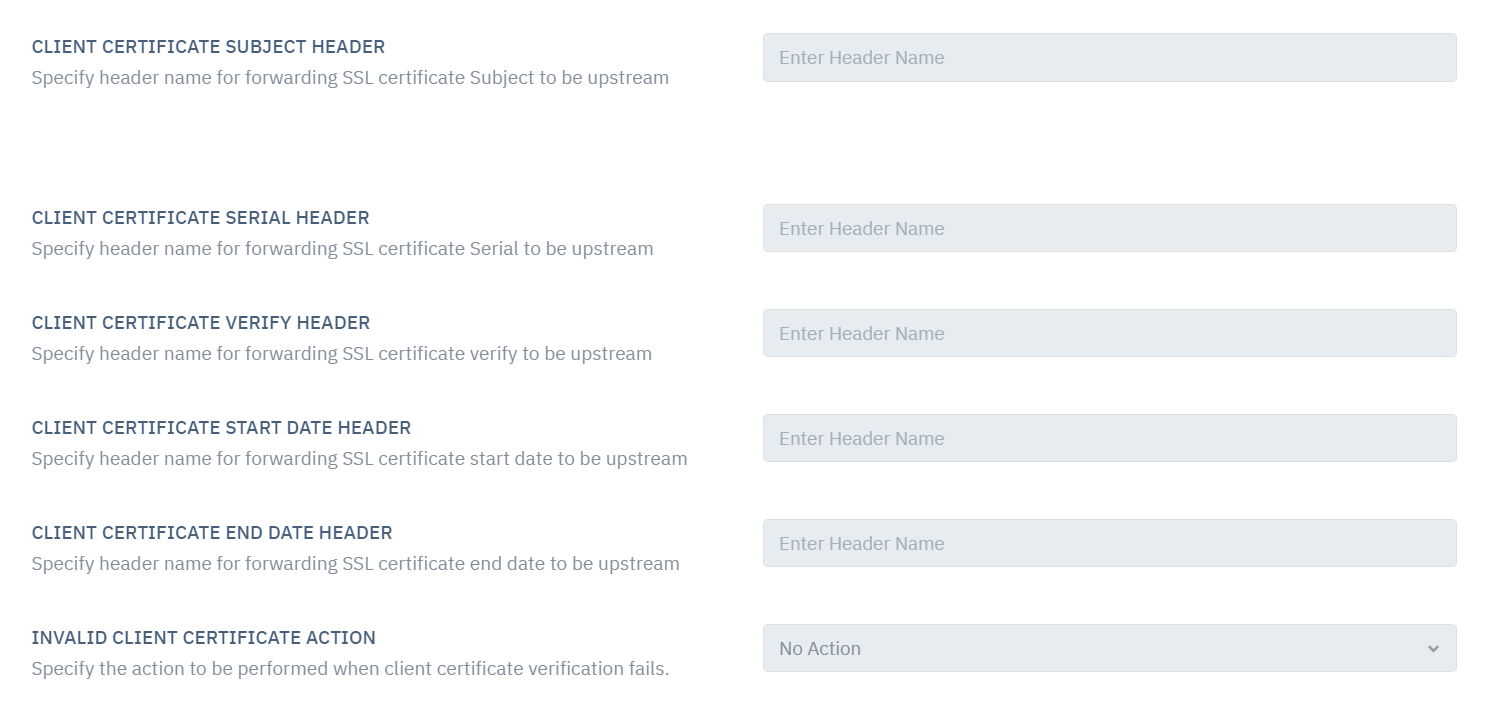
It specifies header name for forwarding SSL certificate Subject to be upstream
Client Certificate Serial Header
This option specifies header name for forwarding SSL certificate Serial to be upstream
Client Certificate Verify Header
This option specifies header name for forwarding SSL certificate verified to be upstream
Client Certificate Start Date Header
This option specifies header name for forwarding SSL certificate start date to be upstream
Client Certificate End Date Header
This option allows user to add header name for forwarding SSL certificate end date to be upstream.
Invalid Client Certificate Action
This option allows user to specifies the action to be performed when client certificate verification fails.