Log Retention
Configure the log retention period for the Haltdos appliances
This feature allows users to set the log retention period. The log retention period is the time for which the logs the logs will be stored locally on the Haltdos Device.
Log retention should be configured as per organization policy
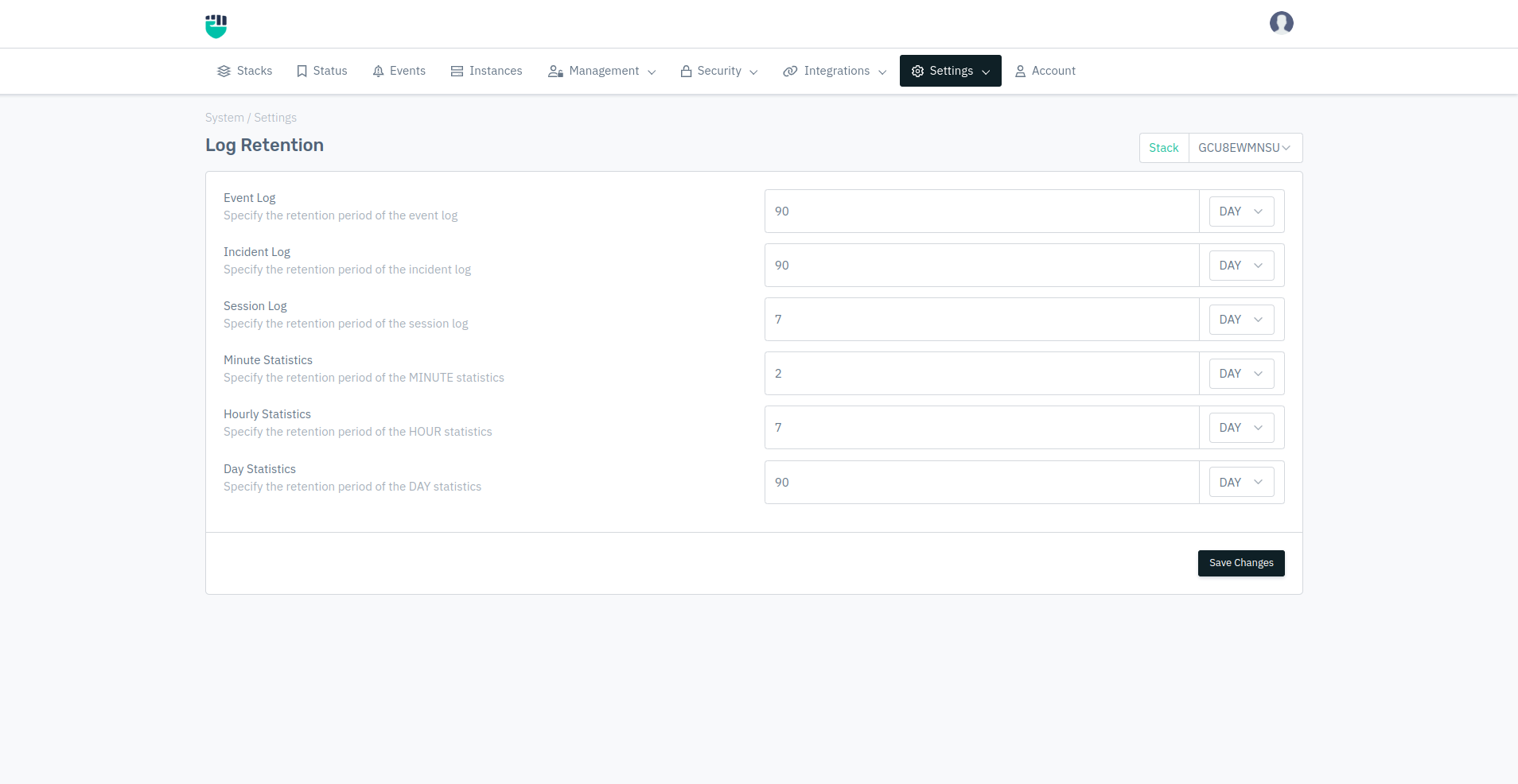
How to Use:
-
Go to System > Settings > Log Retention.
-
Configure your settings.
-
Click Save Changes.
Description:
Event Log
This option allows users to specify the retention period of the event log.
    Accepted values: Integer

    Default: 90
Incident Log
This option allows users to specify the retention period of the incident log.
    Accepted values: Integer

    Default: 90
Session Log
This option allows users to specify the retention period of the session log.
    Accepted values: Integer

    Default: 7
Minute Statistics
This option allows users to specify the retention period of the MINUTE statistics.
    Accepted values: Integer

    Default: 2
Hourly Statistics
This option allows users to specify the retention period of the HOUR statistics.
    Accepted values: Integer

    Default: 7
Day Statistics
This option allows users to specify the retention period of the DAY statistics.
    Accepted values: Integer

    Default: 90