KB: 2005
How to add and remove headers in the request & response phase?
Problem Statement I
The client wants to add headers and the request sent to the back-end server as well as modify the response sent to the client.
Solution
The clients want to modify headers and modify response sent to the client.
This can be achieved by the following way:
- Login into Haltdos console.
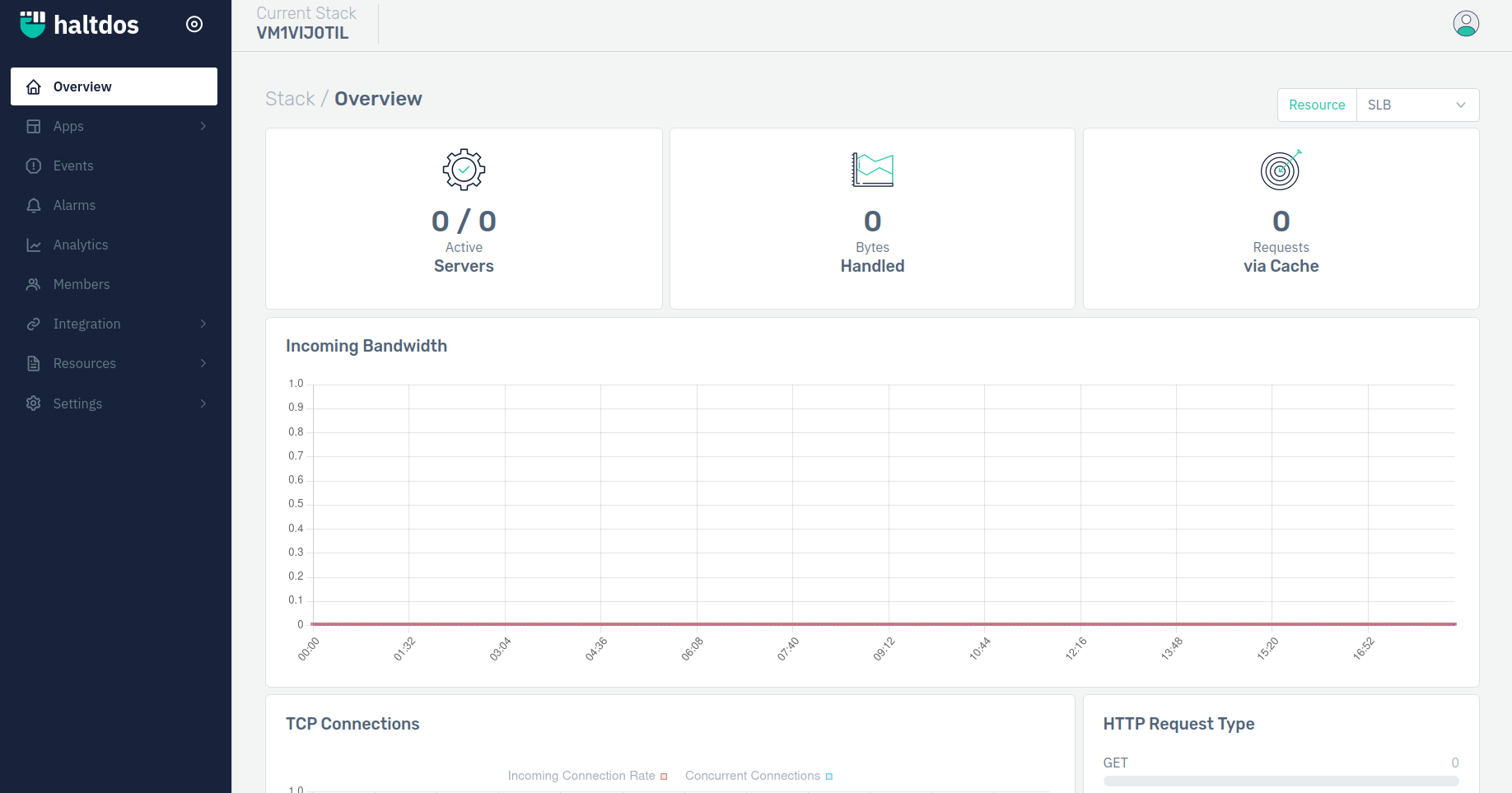
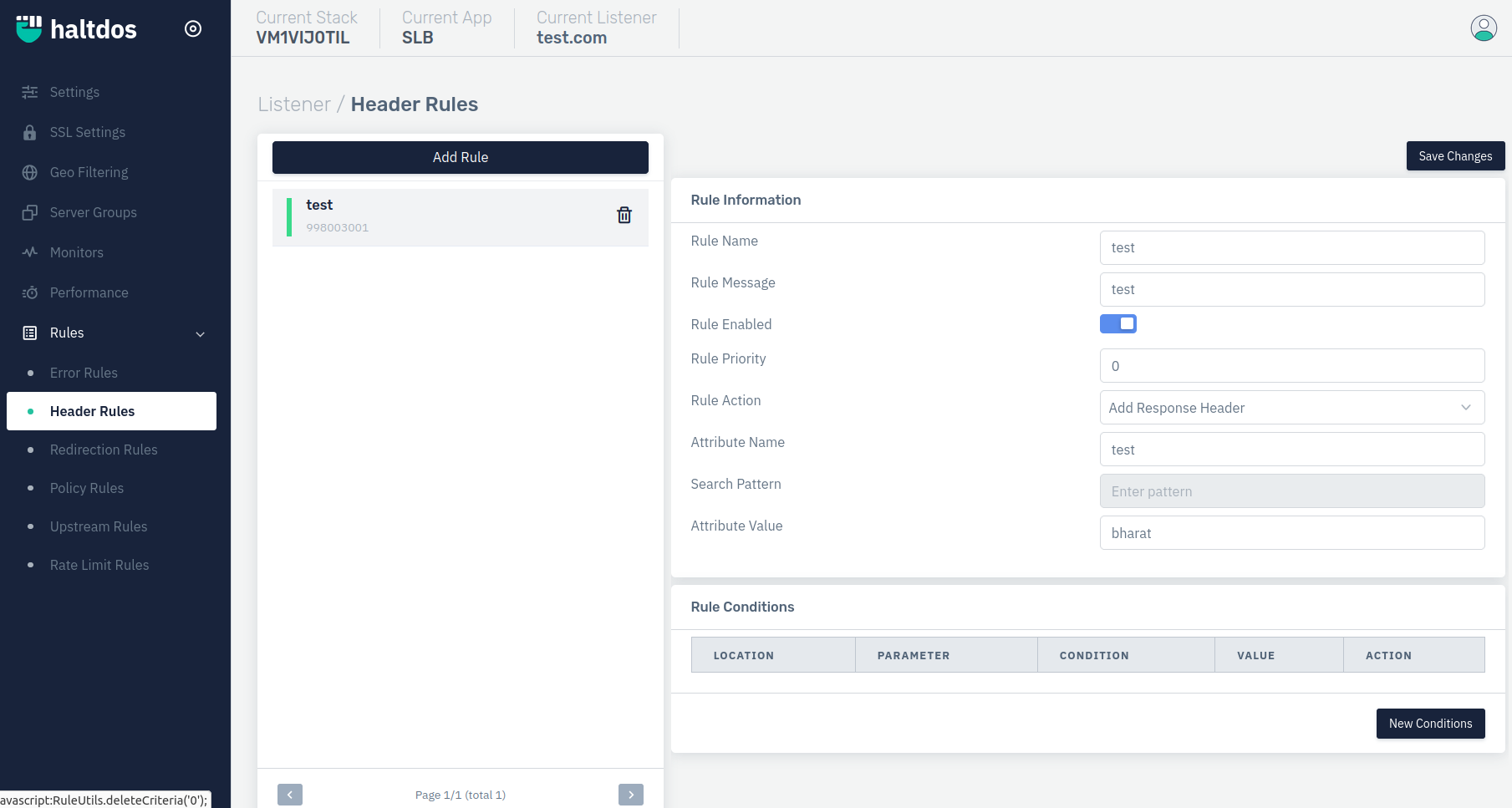
- Now go under added listener, select header rule from the rules drop-down menu.
(Apps>SLB>Listeners>Rules>Header rule>Add Rule>Save changes)
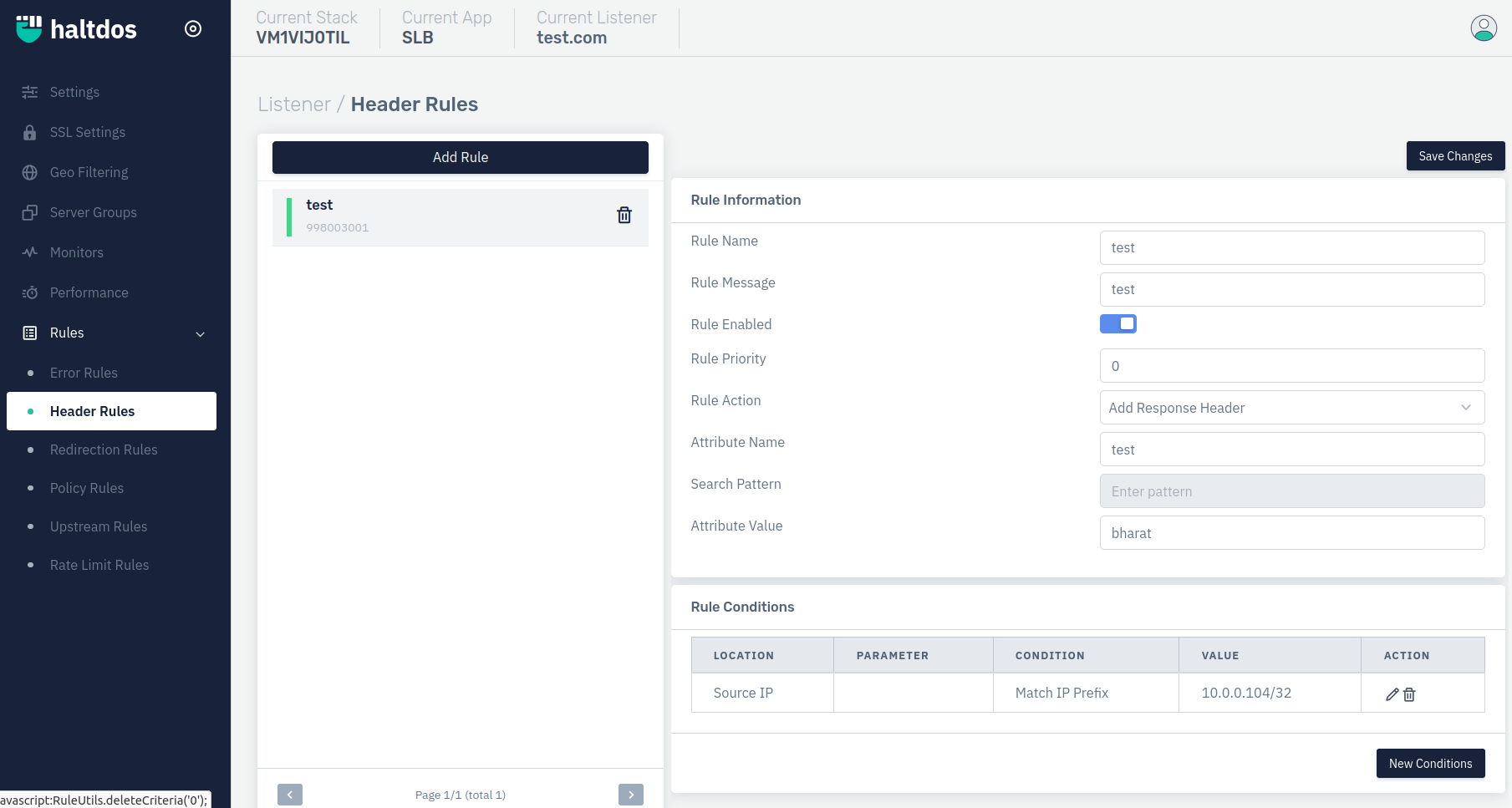
- Client can create rule on the basis of the rule condition also as shown in the below picture.
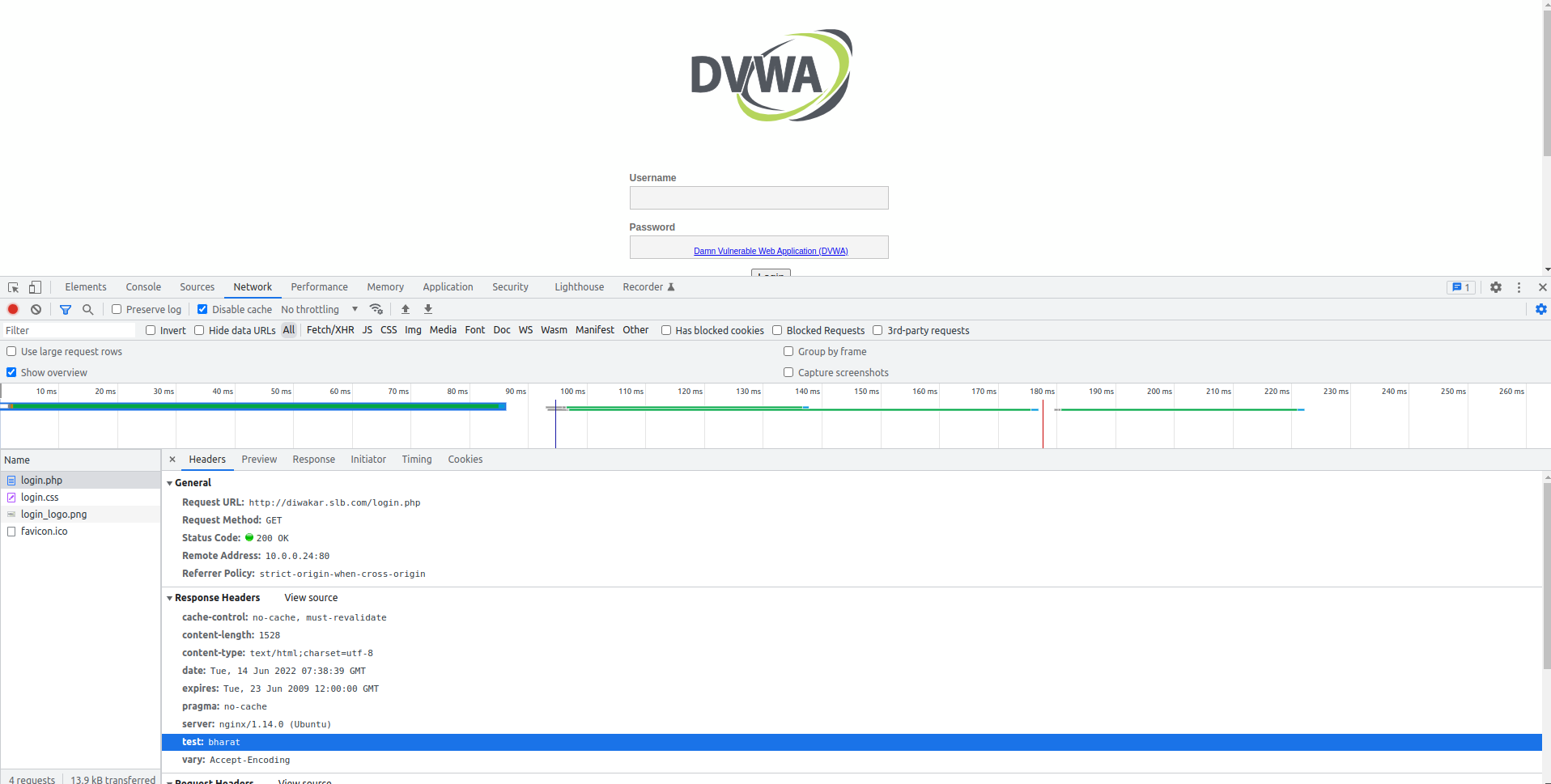
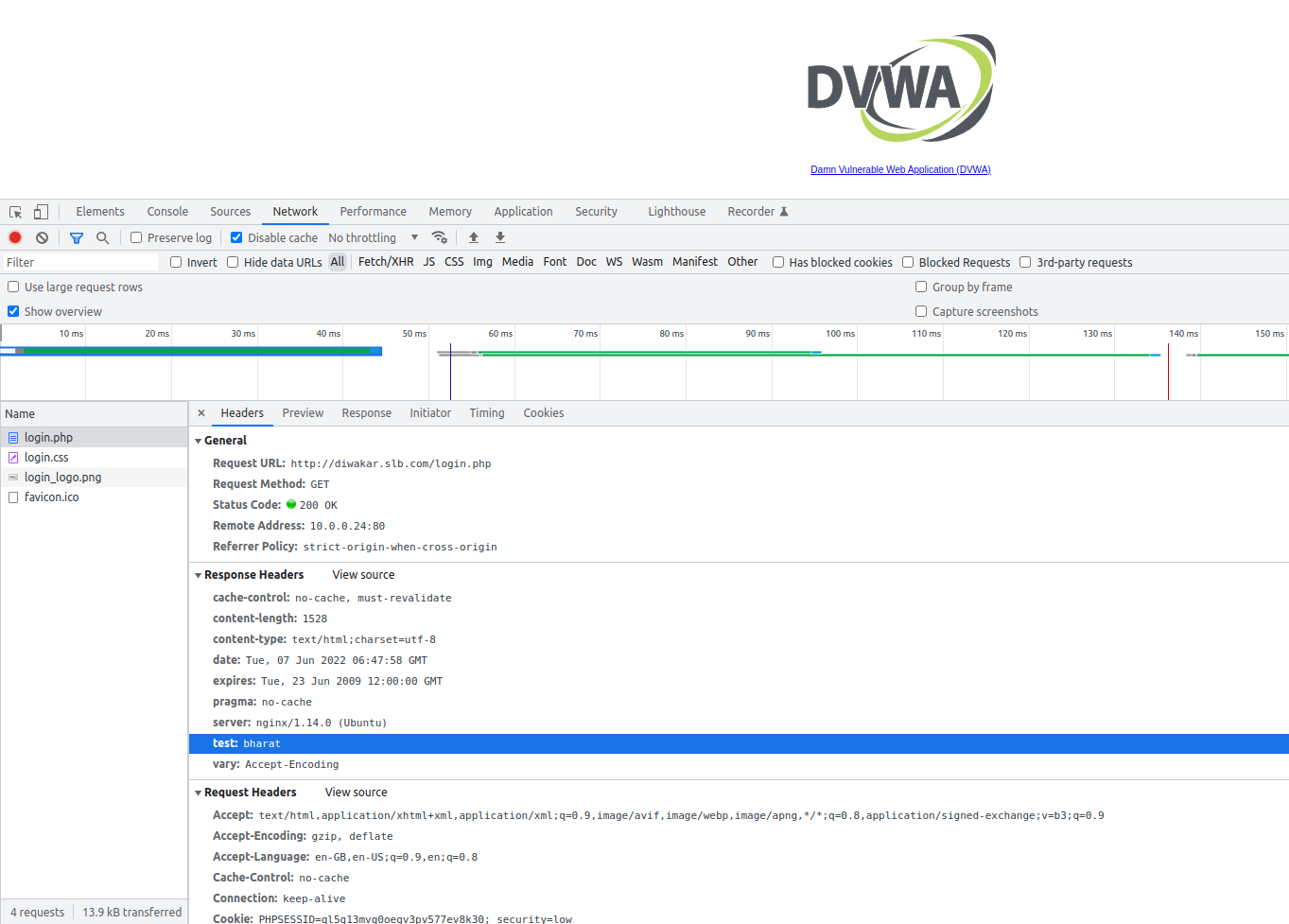
- Below image showing the addition of a header named "test".
Problem Statement II
The client wants to remove headers and the request sent to the back-end server.
Solution
The clients wants to remove headers and modify response sent to the client .
Step to Solve:-
This can be achieved by the following way:
- Log into the Haltdos Console.
- Now go under added listener, select header rule from the rules drop-down menu.
(Apps > SLB > Listeners > Rules > Header rule > Add rule > Save changes)
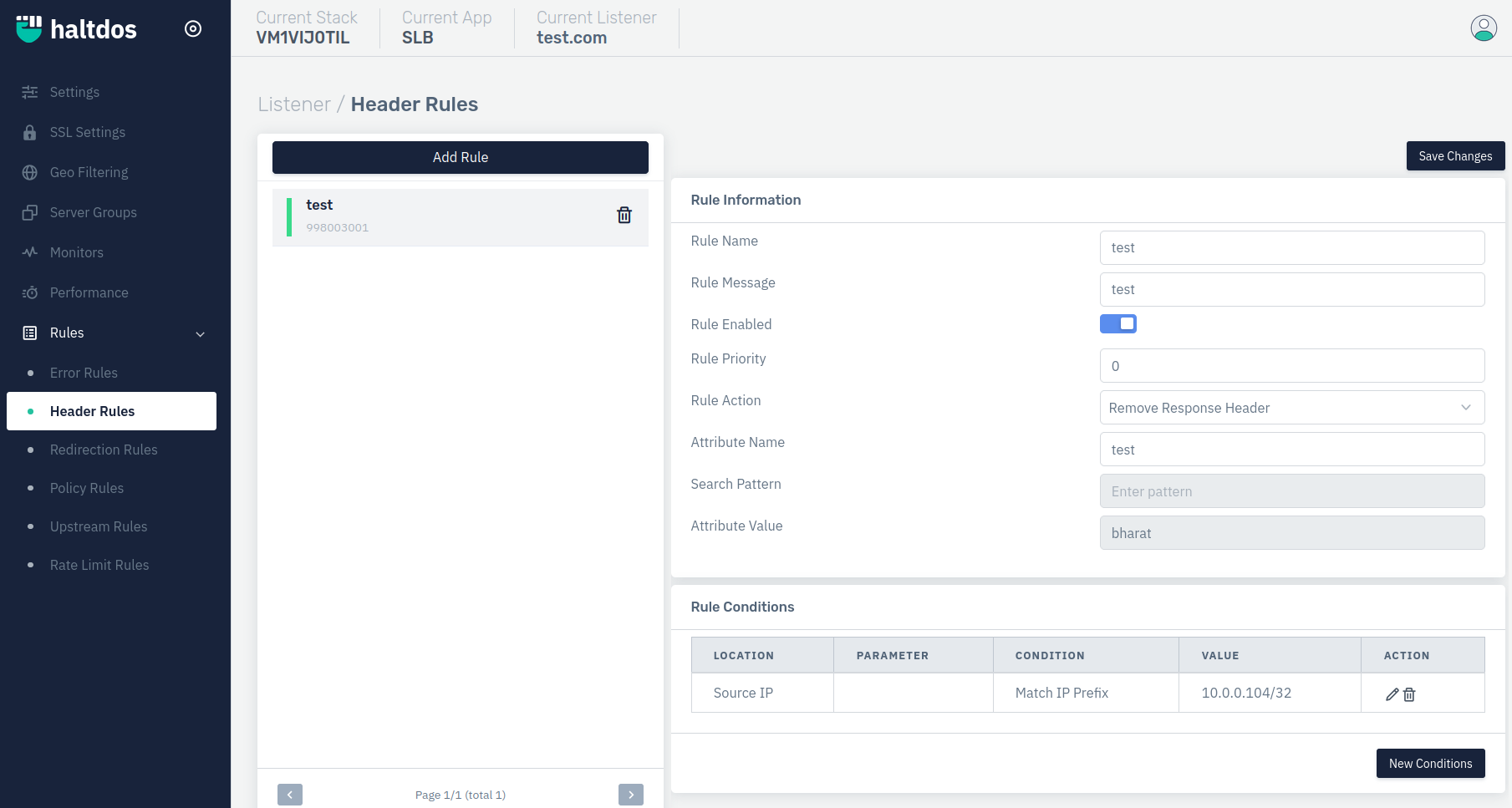
- Below image showing the removal of a header named because in rule details we are choosing "REMOVE RESPONSE HEADER" .(Take a look on problem statement I in step 4 and also see the image)