Rule Staging
Rule Staging allow WAF to stage for the record purposes of the signatures.
Overview
Users can configure below rule staging settings for Listener.
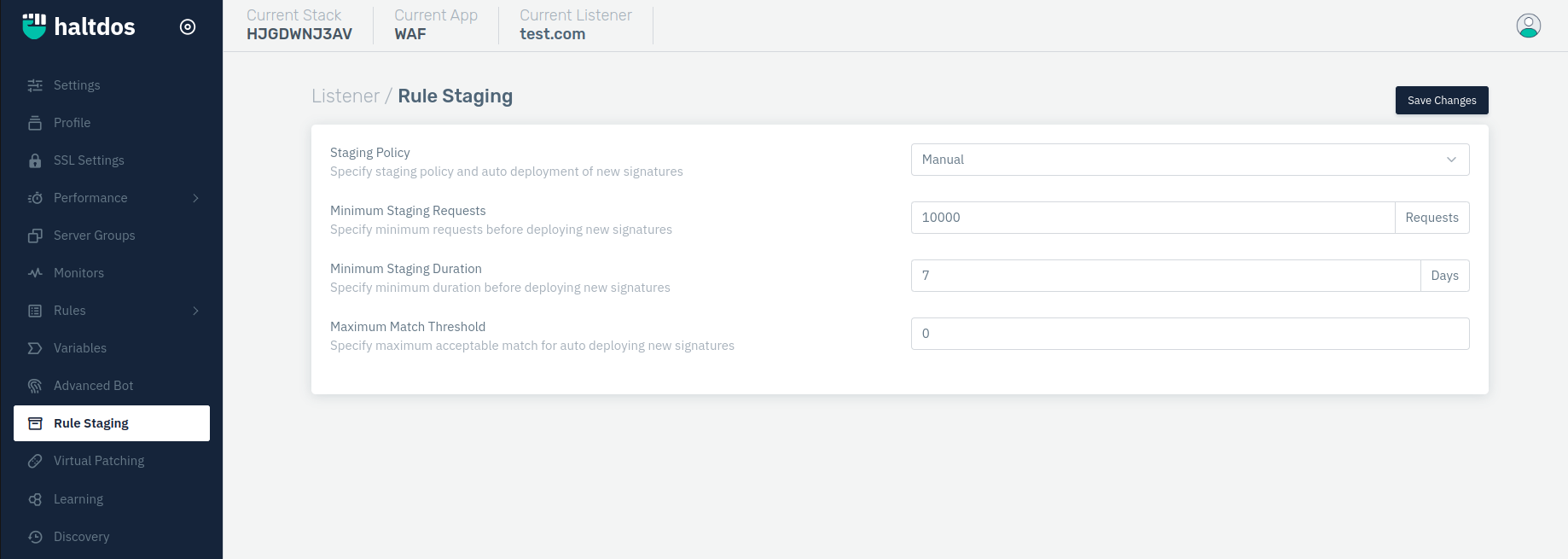
How to Use:
- Go to WAF > Listeners > Advanced Settings > Staging Settings
- Configure your settings
- Click Save Changes
Description
Staging Policy
Users can specify the staging policy and auto-deployment of new signatures. Accepted values: MANUAL / REQUEST/ DURATION/ REQUEST AND DURATION/ REQUEST OR DURATION. By default, it is MANUAL.
    Accepted values: Manual / Minimal Request / Minimal Duration / Minimal Request & Duration / Minimal Request or Duration / Learning Window

    Default: Manual
Minimum Staging Requests
Users can specify minimum requests before deploying new signatures. By default, it is 10000 requests.
    Accepted values: Integer

    Default: 1000
Minimum Staging Duration
Users can specify minimum duration before deploying new signatures. By default, it is 7 days.
    Accepted values: Integer

    Default: 4
Maximum Staging Threshold
Users can specify the maximum acceptable match for auto-deploying new signatures. By default, it is 0.
    Accepted values: Integer

    Default: 10