KB: 03
How to Enable/Disable error handling?
Problem Statement
The client wants to display their default server page and don't want to display haltdos custom error page or vice versa.
Solution
Below are the steps to enable/disable error handling on haltdos WAF.
Steps to Solve:-
-
Login into Haltdos console.
-
Go to WAF > Zones > Listeners > Advance Settings > Operational Settings.
-
User can Disable/Enable error handling with the help of Enable Error Handling toggle.
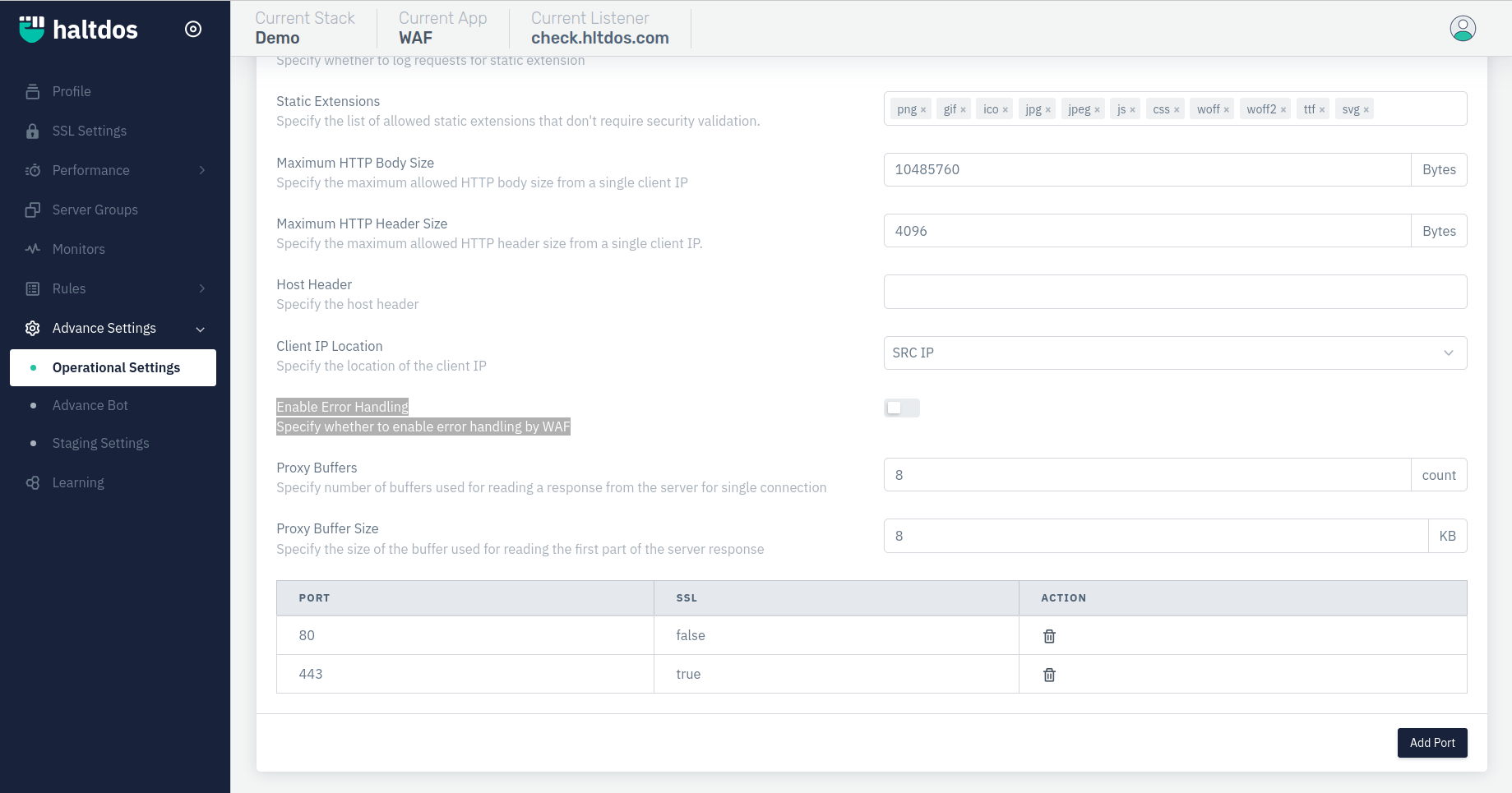
In this way user can enable/disable error handling for their application listener.