Rate Limit Rules
Overview
Rate limit rules are used to rate limit the user requests.
How to Use:
-
Go to DDOS > Listeners > Rules > Rate Limit Rules.
-
Select the Rate Limit Rules.
-
Click Add Rule button.
-
Configure your settings.
-
Click Save Changes
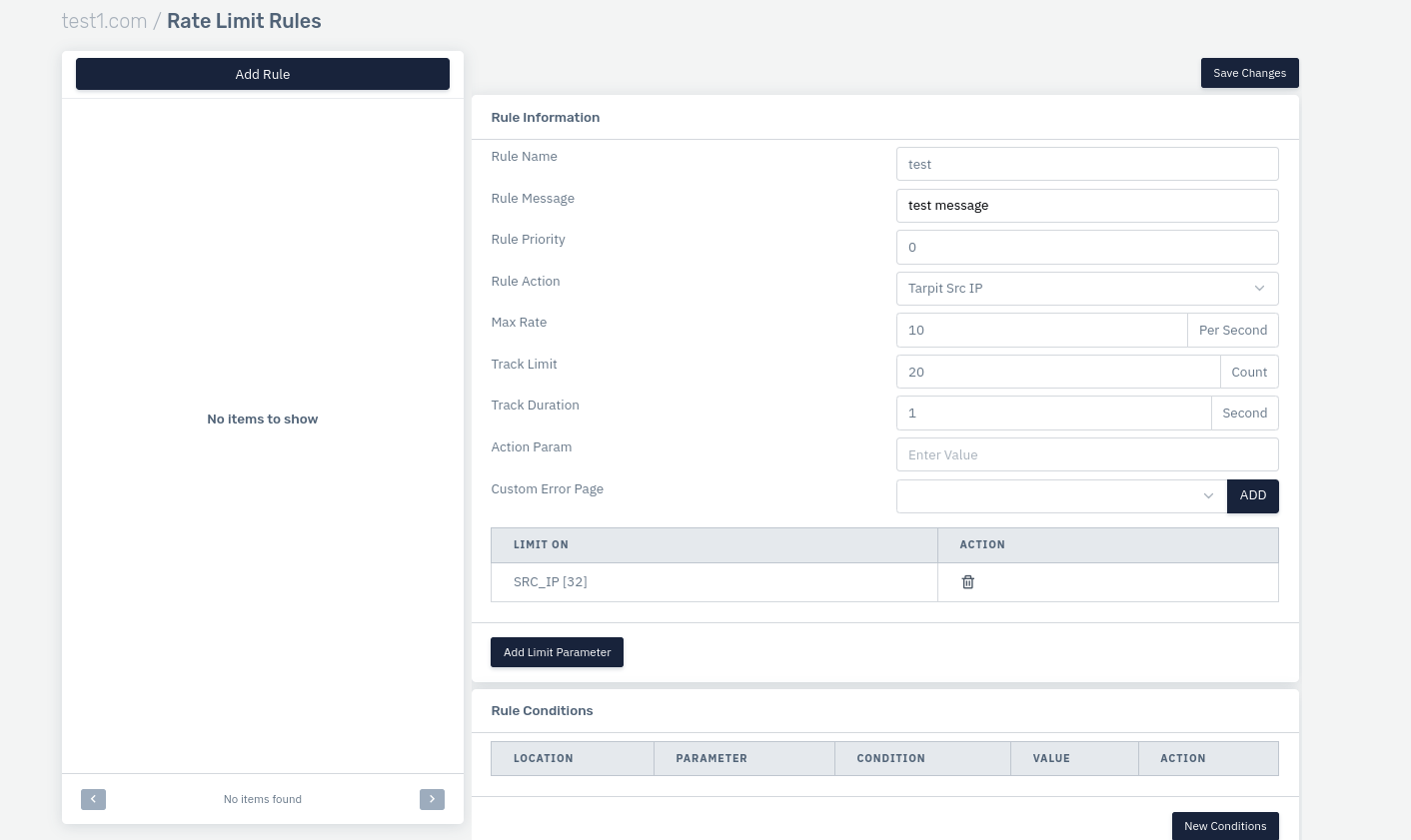
| SETTINGS | ACCEPTED VALUE | DEFAULT |
|---|---|---|
| Rule Name | String | Blank |
| Rule Message | String | Blank |
| Rule Priority | Integer | 1 |
| Rule Action | Drop Request | Drop Request |
| Max Rate | Integer | 10 |
| Track Limit | Integer | 20 |
| Track Duration | Integer | 1 |
Description
Rule Name
The user can define the rule name.
    Accepted values: String

    Default: Blank
Rule Message
The user can define the rule message.
    Accepted values: String

    Default: Blank
Rule Priority
The user can define the rule priority for this particular rule among various other rules in Rate Limit Rules
    Accepted values: Integer

    Default: Blank
Rule Action
The user can define what action needs to be taken when this rule condition is matched.
    Accepted values: Drop & Record Request / Record Request / Bypass Request / Temprorary Blacklist Src IP / Send Captcha CHallenege


    Default: Drop & Record Request
Max Rate
The user can define the request rate for the page
    Accepted values: Integer

    Default: 10
Track Limit
The user can define the track limit in order to track if the rate is exceeding the limit or not.
    Accepted values: Integer

    Default: 20
Track Duration
Specify the time duration for which the rule will limit the request.
    Accepted values: Integer

    Default: 1
Rule Condition
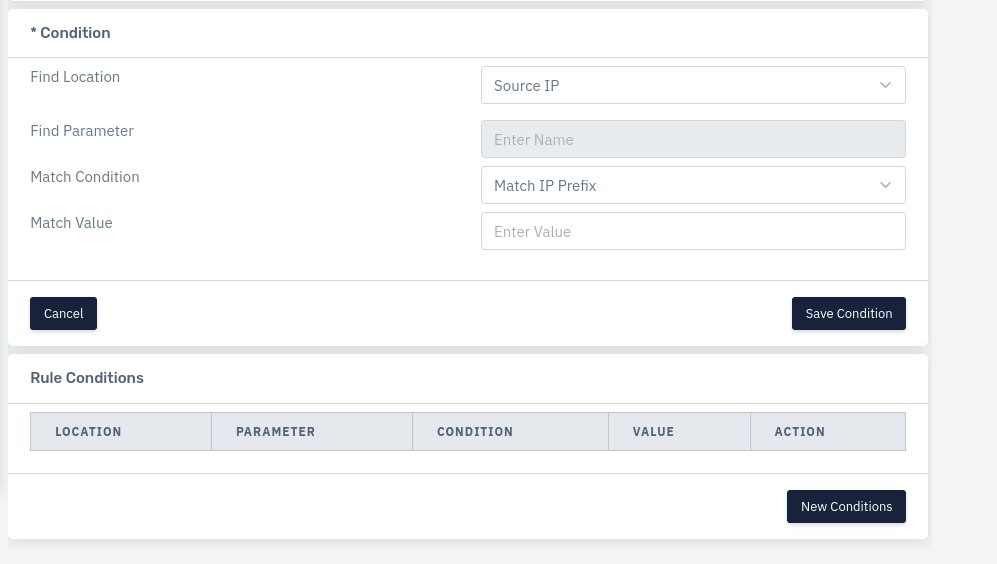
| SETTINGS | ACCEPTED VALUE | DEFAULT |
|---|---|---|
| Find Location | Drop-Down | Source IP |
| Find Parameter | String | Blank |
| Match Condition | Drop-Down | Contains |
| Match Value | String | Blank |
Description
Find Location
User can define the source location where this condition needs to be applied.
    Accepted values: String

    Default: Blank
Find Parameter
The user can define the parameter based on the location of the condition.
    Accepted values: String

    Default: Blank
Match Condition
The user can define the match condition for the parameter and match value.
    Accepted values: String

    Default: Blank
Match Value
The user can define what value needs to be matched with the match condition.
    Accepted values: String

    Default: Blank