Cloud Signaling
A faster, automated approach to comprehensive DDoS Mitigation Enterprises need comprehensive, integrated protection from the data center edge to the service provider cloud. For example, when data center operators discover they are under a service-disrupting DDoS attack, they should be able to quickly mitigate the attack in the cloud by triggering a signal to upstream infrastructure of their provider’s network.
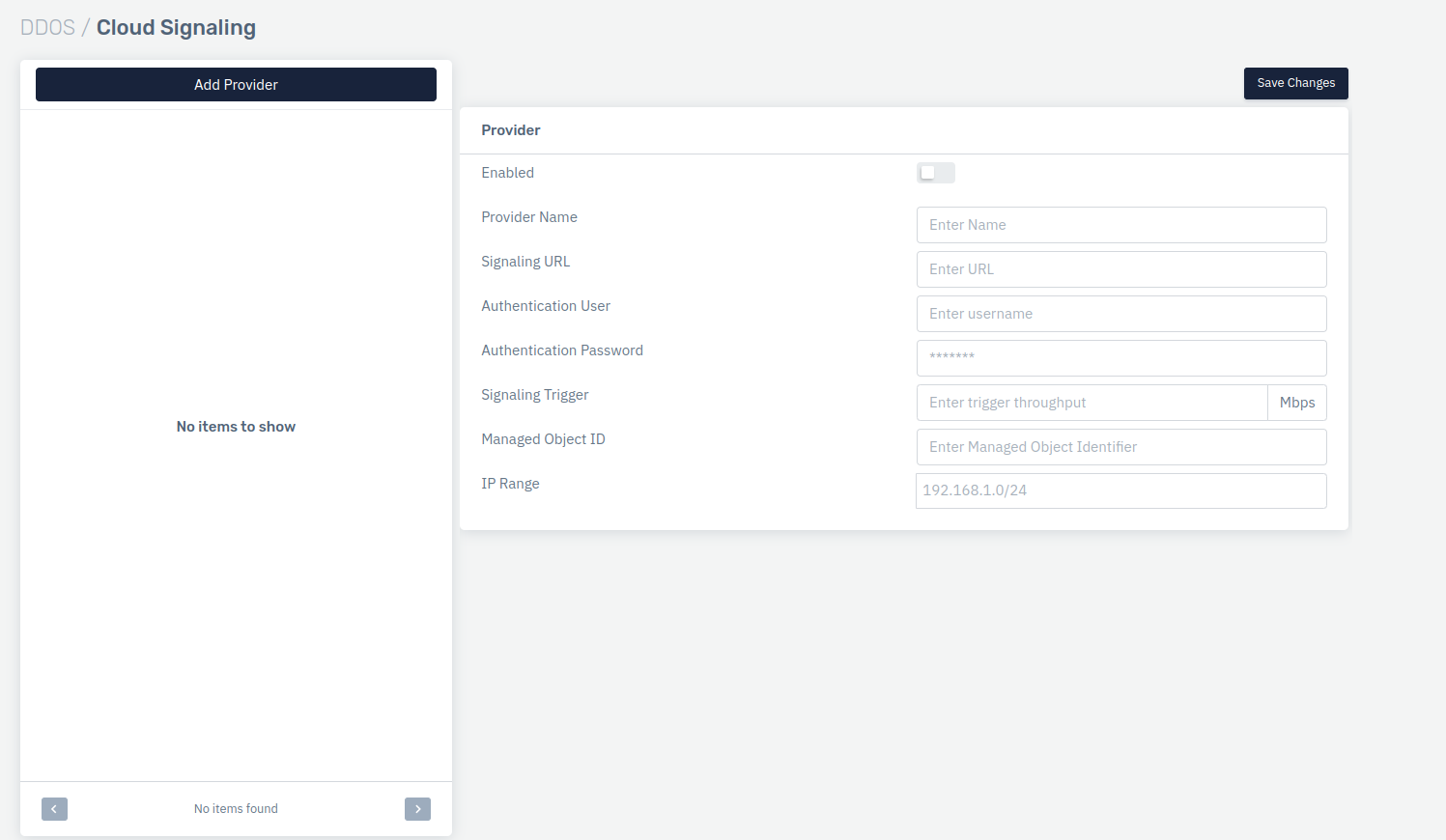
How to Use
- Go to Apps > DDoS > Cloud Signaling
- Add Provider and configure the details as per the requirement.
- Click on Save Changes
Description
Enabled
Enable to allow the signaling to operate.
    Accepted values: Enabled / Disabled

    Default: Disabled
Provider Name
Specify the name of the upstream provider.
    Accepted values: String

    Default: Blank
Signaling URL
Specify API endpoint of upstream provider for sending cloud signal
    Accepted values: String

    Default: Blank
Authentication User
Specify password user credentials for interactive with upstream cloud signaling API
    Accepted values: String

    Default: Blank
Authentication password
Specify password credentials for interactive with upstream cloud signaling API
    Accepted values: String

    Default: Blank
Signaling Trigger
Specify the bandwidth threshold (in Mbps) beyond with a cloud signal that will be sent to the upstream provider
    Accepted values: Integer

    Default: 0
Managed Object ID
Specify unique customer ID provided by the upstream providers for further authentication
    Accepted values: Integer

    Default: 0
IP Range
Users can specify the IP range
    Accepted values: IP

    Default: Blank