VPN Group
This option allows users to add multiple VPN Users. User can be a part of a specific user group. This users can be added by clicking on add user option

How to Use:
- Go to Stack > SSL VPN > VPN Groups.
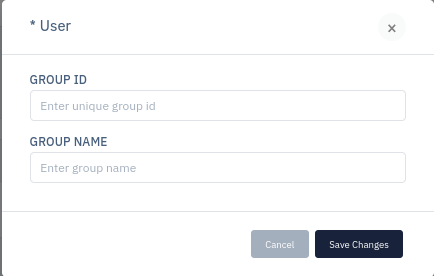
- Click on Add Group button.
- Fill the details and click on Save Changes.
| SETTINGS | ACCEPTED VALUE | DEFAULT |
|---|---|---|
| Group ID | String | Blank |
| Group Name | String | Blank |
Description
Group ID
This option is used to set the unique group ID to unique group.
Group Name
This option allows user to set the user friendly name for the group.