Security
User can specify Web Security settings on this page for Listener
Overview
Bot Protection helps you quickly determine, manage, and mitigate automated requests. You can configure Advance bot settings in order to ensure advanced bot protection.
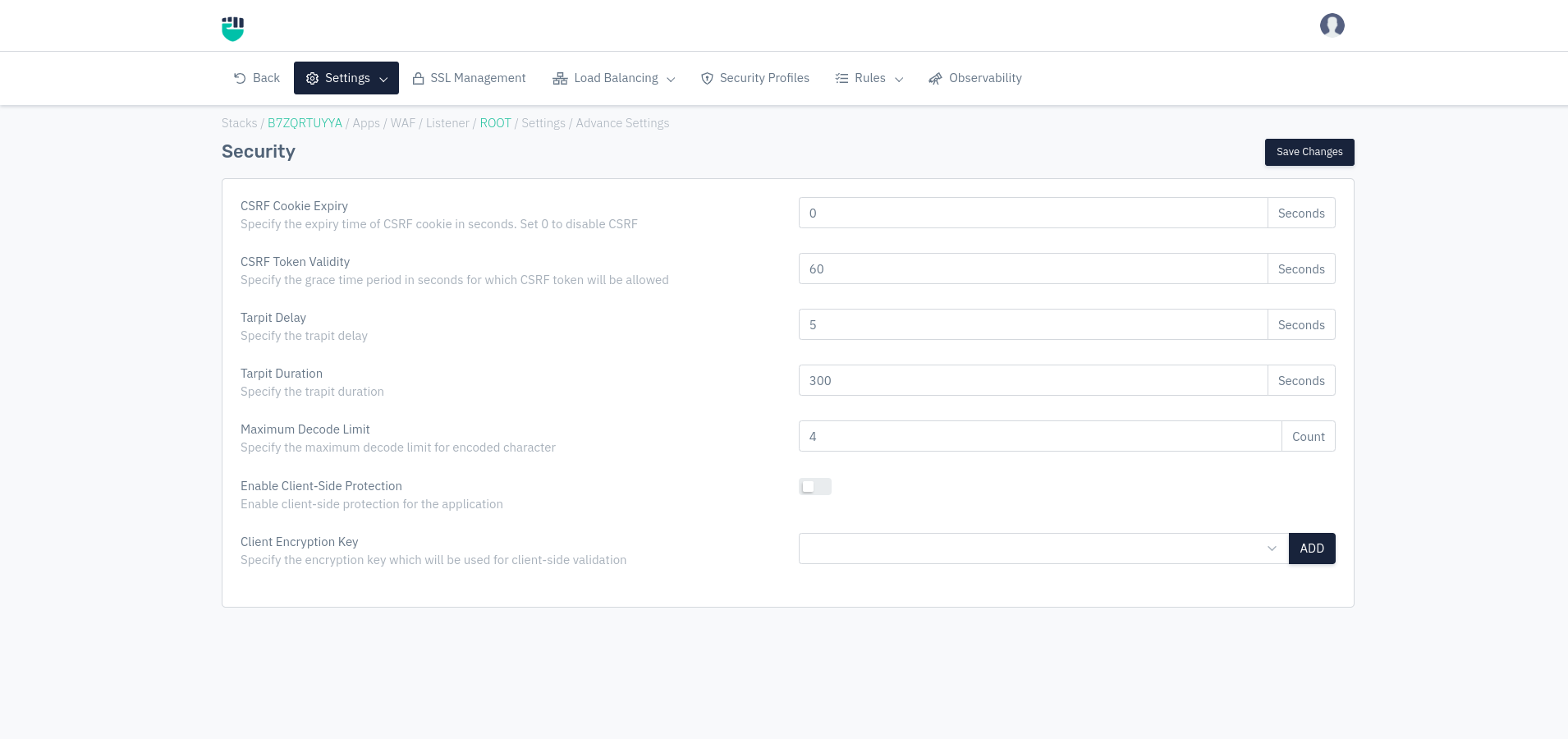
How to Use:
- Go to WAF > Listeners > Advanced Settings > Security
- Configure your settings
- Click Save Changes
Description
CSRF Cookie Expiry
Users can specify the expiry time of the CSRF cookie in seconds. Set 0 to disable CSRF. This value is dependent on the profile CSRF setting that should be enabled to perform mitigation.
    Accepted values: Integer

    Default: 0
Metrics: Seconds
CSRF Token Validity
Users can specify the grace time period in seconds for which CSRF token will be allowed.
    Accepted values: Integer

    Default: 60
Metrics: Seconds
Tarpit Delay
Users can specify the tarpit delay.
    Accepted values: Integer

    Default: 5
Metrics: Seconds
Tarpit Duration
Users can specify the tarpit duration.
    Accepted values: Integer

    Default: 300
Metrics: Seconds
Tarpit delay and tarpit duration are two different values. For example, user has created a rule of rate limiting of 5mbps and resultant it'll tarpit the end user IP for the tarpit delay of 5 seconds and tarpit duration is set to 10 minutes. It means the end user IP will be got a tarpit delay for 5 seconds for next 10 minutes. After the time end user's IP will be free from tarpit delay and will start getting normal response from WAF device.
Maximum Decode Limit
Specify the maximum decode limit for encoded character
    Accepted values: Integer

    Default: 4
Enable Client-Side Protection
Enable client-side protection for the application
    Accepted values: Enable / Disable

    Default: Disable
Client Encryption Key
Specify the encryption key which will be used for client-side validation
    Accepted values: Add Encryption Key

    Default: Blank