Match Finder
Overview
It Identifies, stores all the rules matched by WAF, and generates match finder details for a specific or all listener so that you can identify all matched, rules for the listener by listing the events.
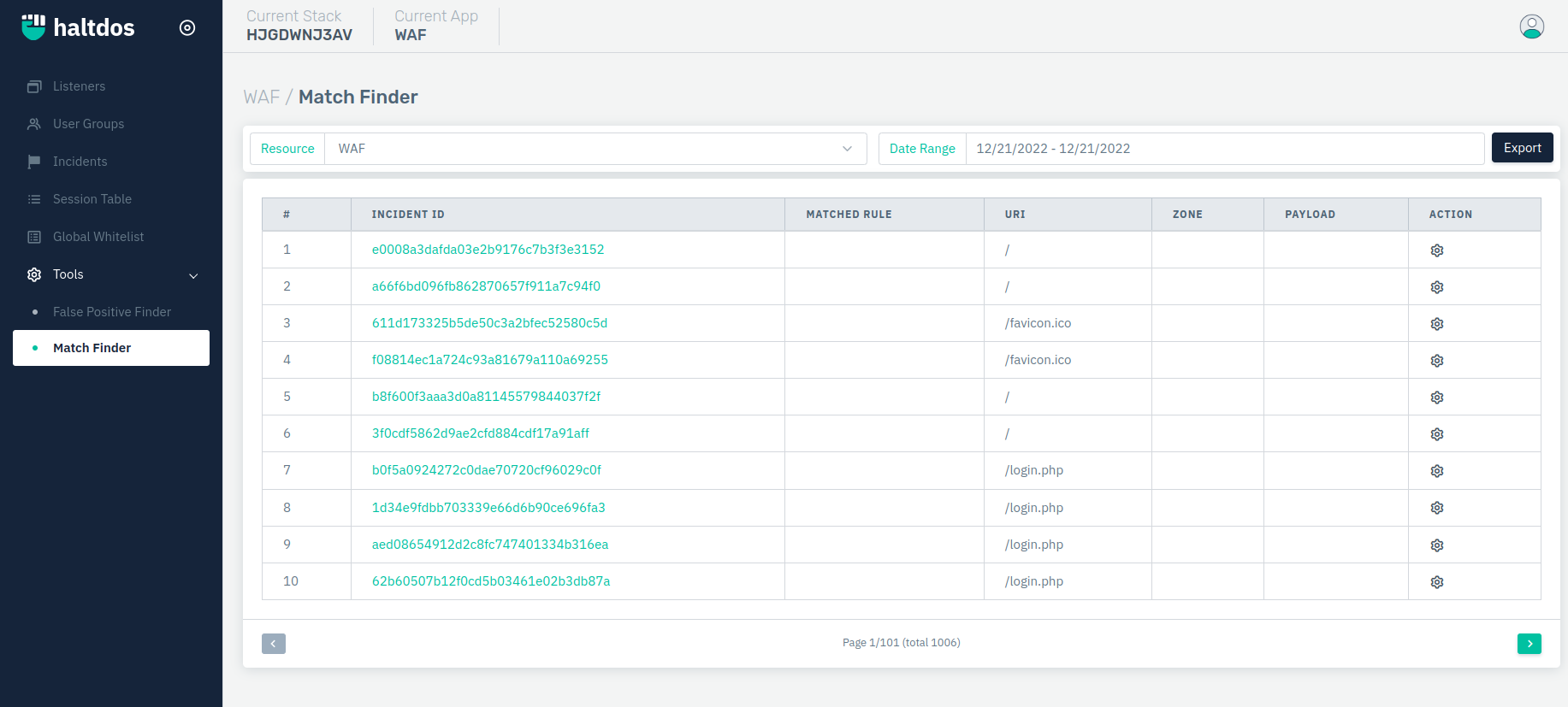
How to Use:
- Go to WAF > Tool > Match Finder
- Click on the Run Query button on the top right side.
Description
Incident ID
It displays the event ID logged for the certain request found to be malicious.
Matched Rule
It displays all matched rule id for the query.
URI
It displays the matching URI for the current event.
Zone
It displays the zone/sub-domain name that belongs to it.
Payload
It displays the payload matched for the current event.
Action
It specifies the action to be taken. To whitelist current event rules, click on the Whitelist button. We can further download all events matched based on the filter from the event page.