SSL Settings
Overview
It provides functionality to support SSL offloading based on configurations. As many applications are running over HTTPS, for the WAF / ADC solution to inspect user payload, it is necessary to decrypt SSL/TLS traffic. The following settings allow users to configure SSL offloading based and optional re-encryption in Haltdos solution. The performance of SSL offloading will vary based on chosen model.
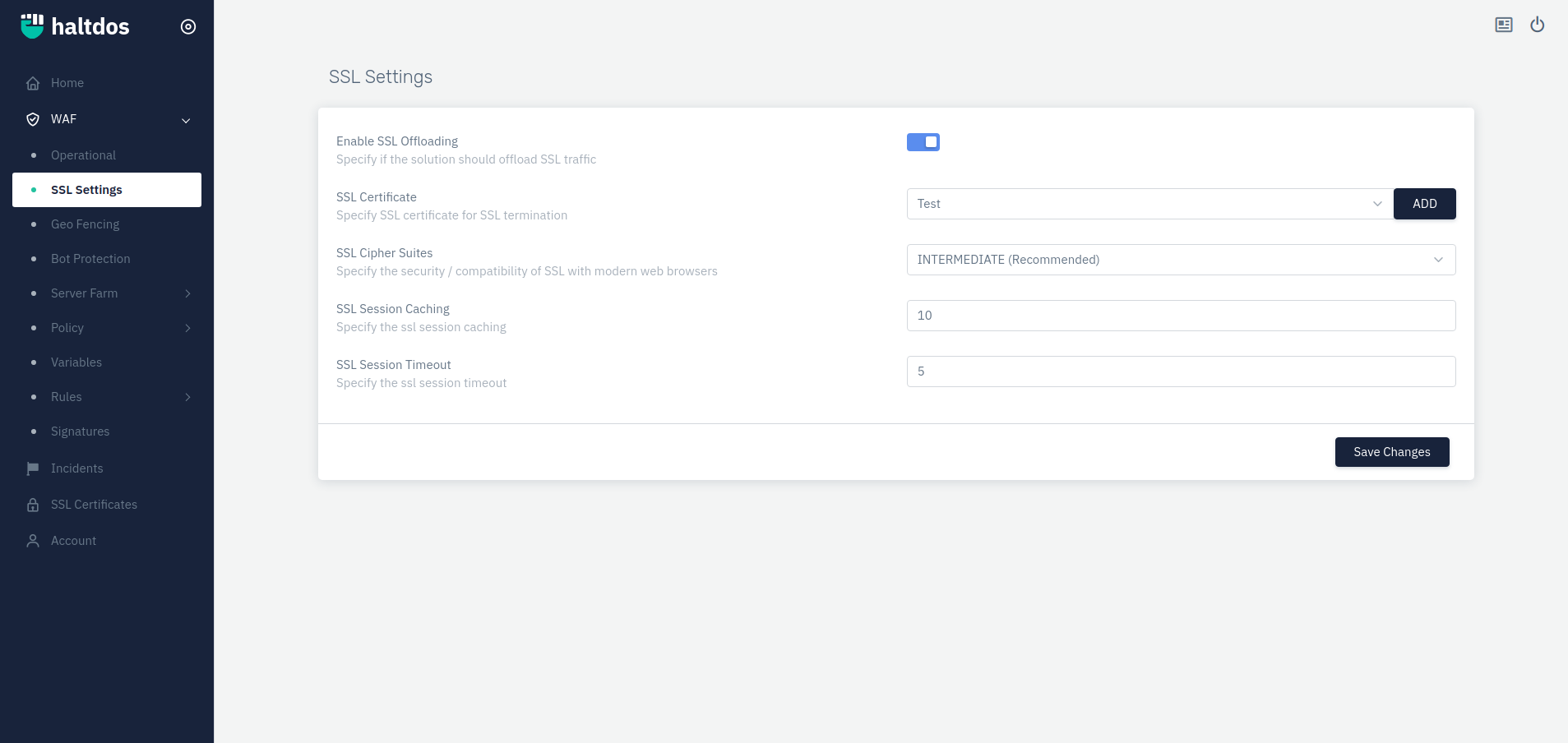
How to Use:
- Go To WAF > SSL Settings
- Configure your Settings
- Click Save Changes
| Parameters | Accepted value | Default |
|---|---|---|
| Enable SSL Offloading | Boolean | False |
| SSL Certificate | Drop-down | Blank |
| SSL Cipher Suites | Drop-down | Intermediate |
| SSL Session Caching | Integer | 10 |
| SSL Session Timeout | Integer | 5 |
Description
Enable SSL Offloading
Users are allowed to specify if the solution should offload SSL traffic.
SSL Certificate
Users are allowed to specify SSL certificate for Encryption / Decryption.
SSL Cipher Suites
Users are allowed to specify the security / compatibility of SSL with modern web browsers.
SSL Session Caching
Users are allowed to specify the ssl session caching
SSL Session Timeout
Users are allowed to specify the ssl session timeout.