Error Rules
These rules mask application exceptions and errors with custom pages.
Overview
Error Rules is a feature of Haltdos WAF that allows application owners to show custom pages without revealing internal exceptions generated by the application upon failure. The custom pages can be created for specific HTTP error codes respectively and thus be used with the error rules.
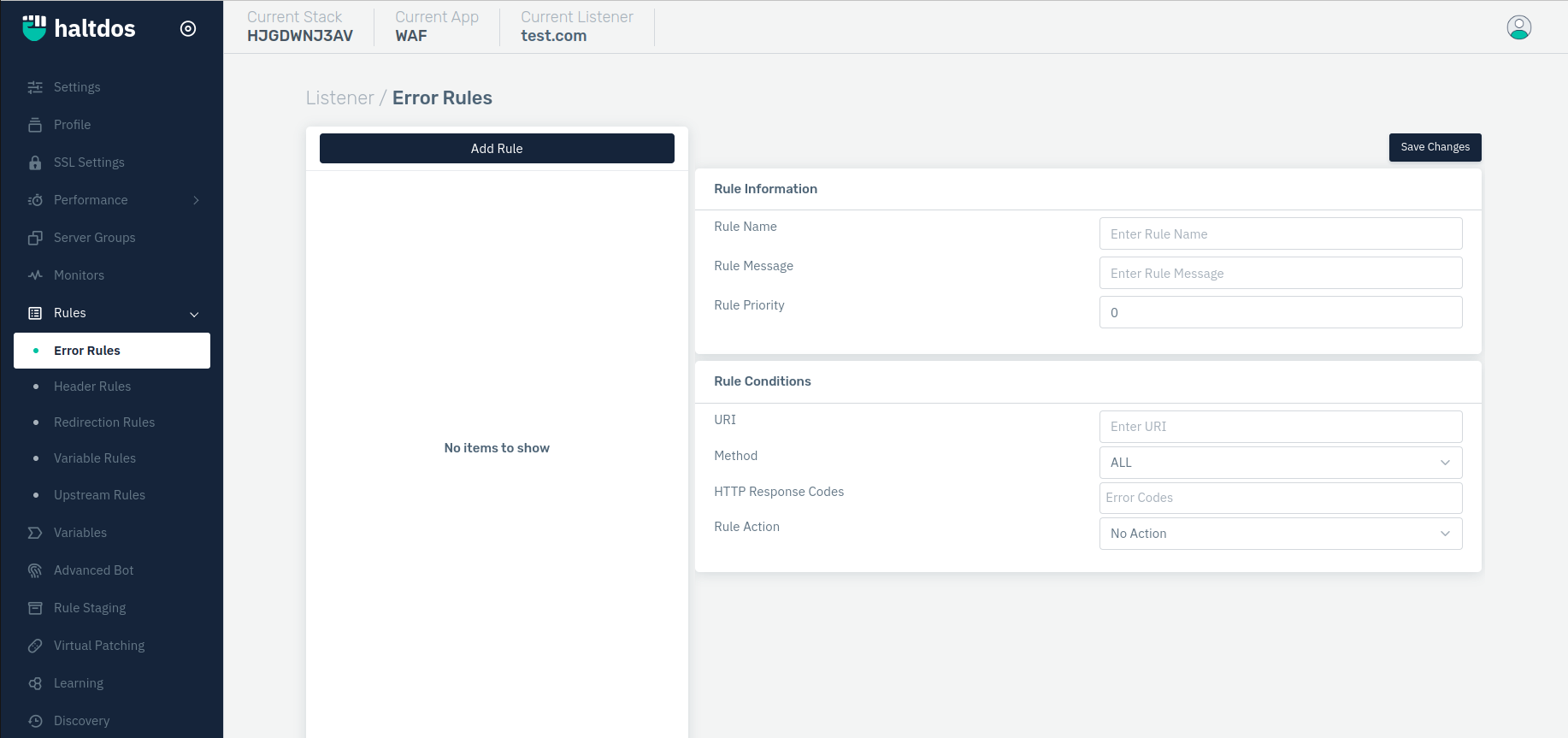
How to Use:
- Go to WAF > Listeners > Rules > Error Rules.
- Click on Add Rule and set relevant parameters described in the table below.
- Click on Save Changes.
Description
Rule Name
Specify a rule name to identify the rule which is to be created. The rule name takes alphanumeric input.
    Accepted values: String

    Default: Blank
Rule Message
Specify a rule message containing a detailed description to identify the rule which is to be created.
    Accepted values: String

    Default: Blank
Rule Priority
Specify the priority for the rule for execution when matched with the request.
    Accepted values: Integer

    Default: 0
Add Condition
The user can specify some request/response-based conditions which can be used as mandatory conditions to be fulfilled to apply the rule.
To configure the parameter of the conditions please refer to the following link: Conditions