Correlation Rules
Overview
Correlation rules support using compounding logic to make more advanced rules that address your security needs. For example, "(Condition 1 and Condition 2)" means that if Condition 1 and Condition 2 are met, WAF should take the action that's specified in the correlation rule. Different matching conditions within the same rule are always compounded by using 'and'. For example, a rule that uses and might specify to block traffic from a certain IP address, and only if a certain browser is being used.
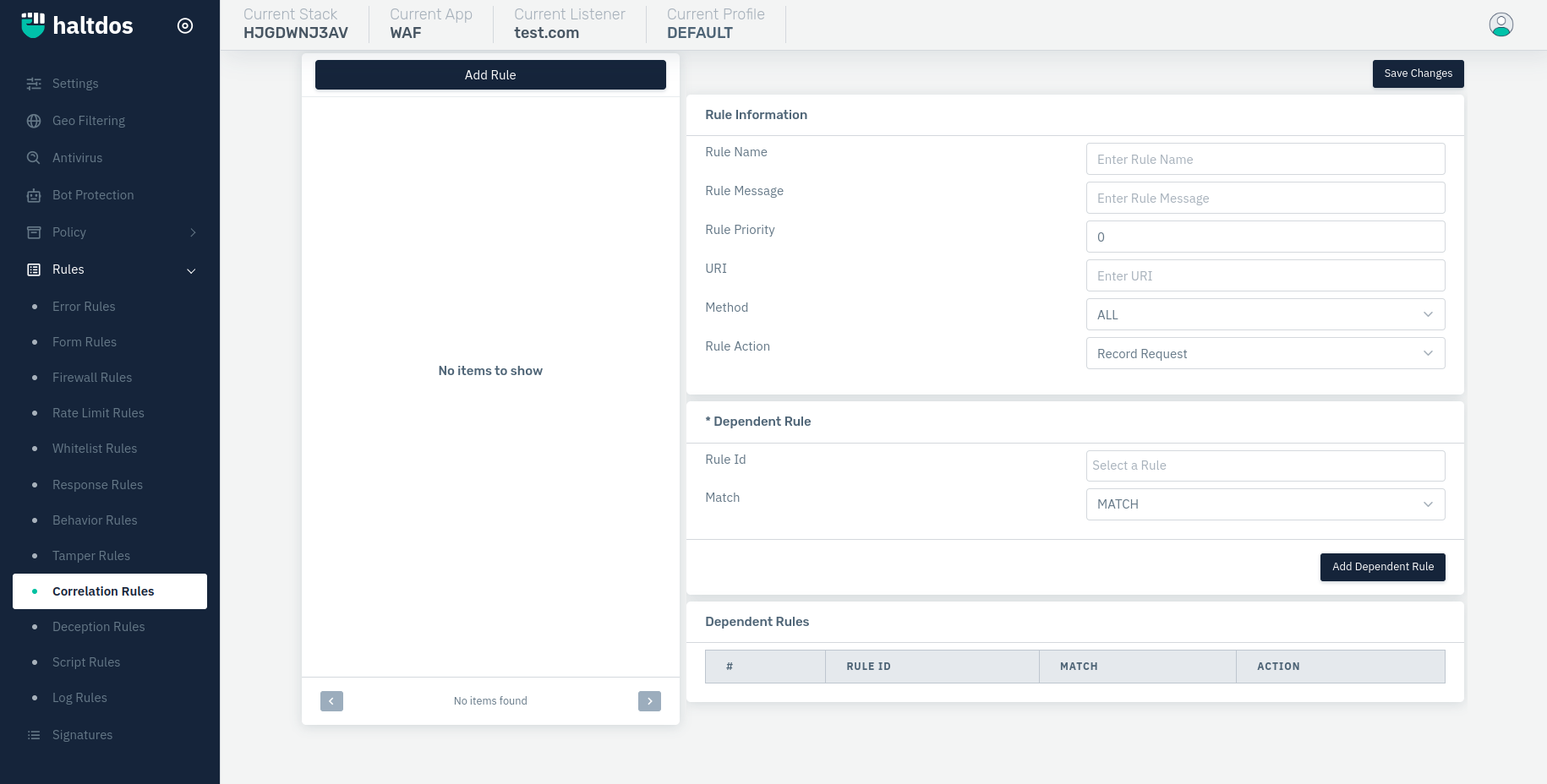
How to Use:
- Follow the links: WAF > Listener > Profiles > Rules > Correlation Rules.
- Click on Add Rule and set relevant parameters described in the table below.
- Click on save changes.
Description
Rule Name
Users are allowed to specify the rule name to identify the rule which is to be created. The rule name takes alpha-numeric input.
    Accepted values: String

    Default: Blank
Rule Message
Users are allowed to specify a rule message containing a detailed description to identify the rule which is to be created.
    Accepted values: Description for the rule in String format

    Default: Blank
Rule Priority
It is a numeric field that specifies the priority of the rule in which the rule will be executed while evaluating the request. The lower value of priority means it will be executed first while executing the type of rule. The default value Is 0.
    Accepted values: Integer

    Default: 0
URI
Users are allowed to specify the URI on which the tamper rule will be applied.
    Accepted values: Regex

    Default: Blank
Method
Users are allowed to select the HTTP method for the rule to extract when matched with the request.
    Accepted values: ALL / GET / POST / PUT / DELETE / PATCH / HEAD / OPTIONS

    Default: Blank
Rule Action
The following actions are available to the User-
    Accepted values: Record Request / DROP & RECORD REQUEST / BYPASS REQUEST / TEMPORARY BLACKLIST SRC IP / REDIRECT / SEND CAPCHA CHALLENEGE / SEND RESONSE WITH STATUUS CODE / SEND CUSTOM RESPONSES / CHANGE RESPONSE CODE / NO ACTION / SEND EMPTY RESPONSES

    Default: Record Request
- DROP & RECORD REQUEST - If the Request to the subscribed domain matches the Firewall Rule, an event is generated but the request will not be allowed through the WAF.
- RECORD REQUEST - An event is generated whenever the Request satisfies the Rule, but whenever the request passes through other rules its events are logged by Haltdos.
- BYPASS REQUEST - If the Request tests positive for the rule, no other rule is tested and the Request will be allowed through the WAF.
- TEMPORARY BLACKLIST SOURCE IP - If the request satisfies the rule, then the user is temporarily blacklisted.
- REDIRECT - If the request satisfies the rule, then the user is redirected to another page.
- SEND CAPTCHA CHALLENGE - If the request satisfies the rule, then the user receives a challenge like a captcha.
- SEND RESPONSE WITH STATUS CODE - If the request satisfies the rule, a custom HTML response will be returned with a status code.
- SEND CUSTOM RESPONSE - If the request satisfies the rule, a custom HTML response will be returned.
- CHANGE RESPONSE CODE - If the request satisfies the rule, the user can change the response code, and the changed response code will be sent back.
- TARPIT SRC.IP - If the request satisfies the rule, the end-user IP will be tarpit.
- NO ACTION - If the request satisfies the rule, then no action will be performed on the current request.
- SKIP LEARNING -If the request satisfies the rule, then no learning will be performed on the current request.
- SEND EMPTY RESPONSE - If the request satisfies the rule, the end-user will get empty response / blank page in return.
Dependent Rule
By clicking on Add Rule Condition button, the end-user can add specify the location to be whitelisted. At least, one location is mandatory for this rule.
Rule ID
Users can specify the rule ID for which condition should be created.
    Accepted values: Select Rule

    Default: Blank
Match
Users can specify whether the rule should be matched or not matched.
    Accepted values: MATCH / NO MATCH

    Default: MATCH